
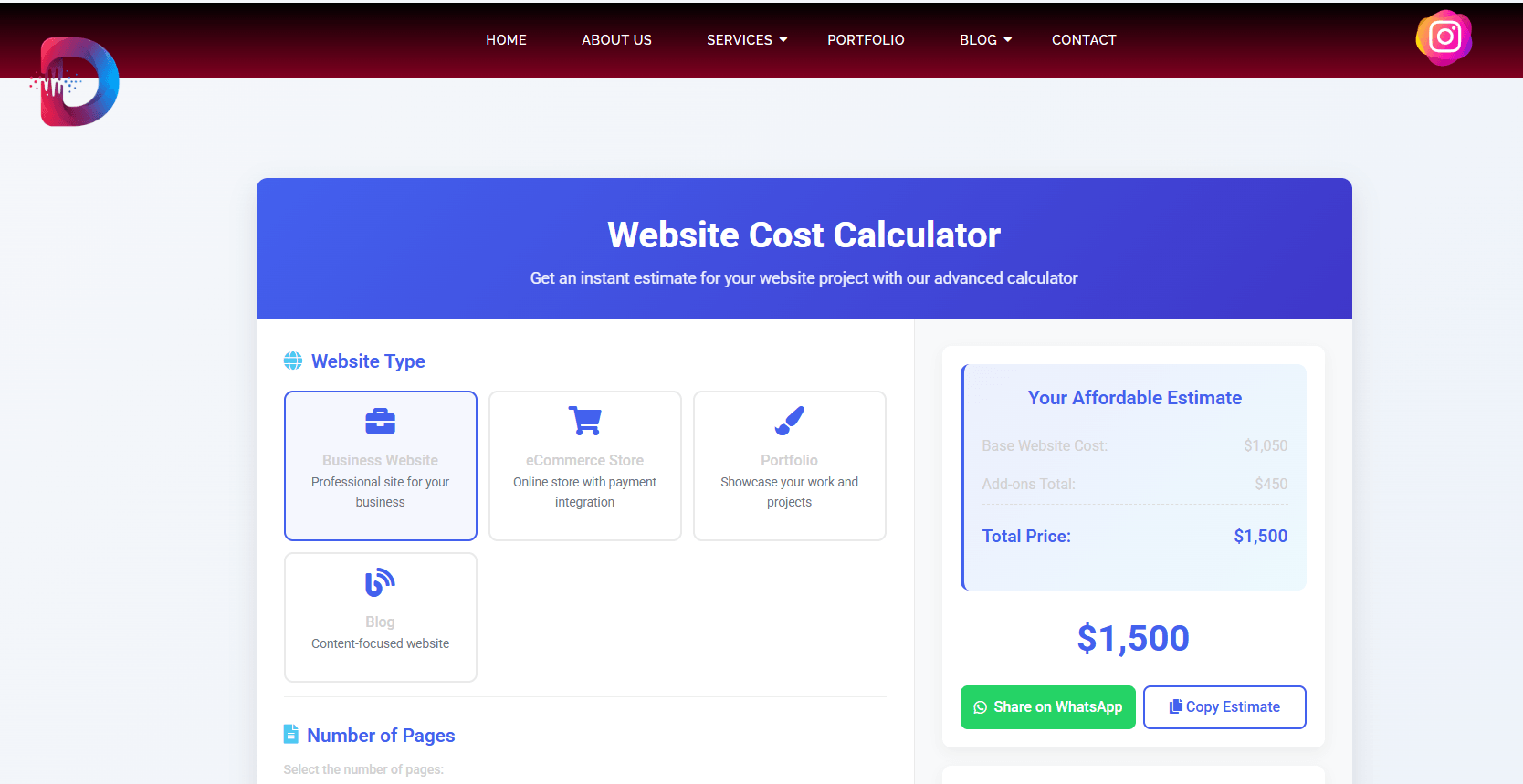
Estimated reading time: 8 minutes Introduction That moment of sticker shock when you get a website quote can be paralyzing. One agency quotes $3,000, another says $30,000, and nobody explains why. You’re left wondering: “What should a website really cost for a business like mine?” This confusion costs small businesses dearly—in wasted budgets, unsuitable websites, and missed opportunities. But what if you could cut through the noise and get a transparent, data-backed estimate in minutes? That’s exactly why we built the DevGurux Website Cost Calculator—a free tool that eliminates the guesswork. In this guide, you’ll not only understand what goes into website pricing but also get an instant estimate tailored to your specific needs. No more black-box quotes, just clarity for your budgeting process. What Businesses Actually Pay for Websites in 2026 Website costs aren’t one-size-fits-all. They vary dramatically based on your business size, goals, and requirements. While DIY options exist for simple sites, most growing businesses need professional solutions that can scale. Here’s what you can realistically expect to invest based on data from thousands of web projects: Business Type Typical Build Cost Annual Maintenance Best For DIY/Website Builder $100 – $1,600 $500 – $5,000 Hobbyists, very small side businesses testing the waters Small Business Website $2,000 – $10,000 $600 – $5,000 Local businesses needing credibility and basic online presence Mid-Sized Business Website $5,000 – $25,000 $1,000 – $17,500 Growing companies requiring lead generation and marketing support Corporate/Custom Website $20,000 – $100,000+ $5,000 – $125,500+ Enterprises needing advanced security, compliance, and global scalability 💰 Pro Tip: Remember that your website isn’t an expense—it’s a business asset. As one industry expert notes: “The more you invest in a quality team and strategy, the higher the likely return” . Understanding the true cost of website ownership Beyond the initial build, websites require ongoing investment to remain secure, functional, and effective. These recurring costs typically add up to 15-30% of your initial build cost annually and include : 🚀 Quick Insight: Many businesses make the mistake of budgeting only for the initial build. When planning your website, always account for both the one-time development costs and the recurring annual expenses to avoid unexpected financial surprises down the road. What Really Drives Website Costs? The 5 Key Factors Understanding what influences website pricing helps you make smarter budgeting decisions and avoid overpaying for features you don’t need. 1. Website type and complexity A simple 5-page brochure site costs significantly less than a custom e-commerce platform. The more specialized functionality your business requires, the higher the investment needed . 2. Design sophistication Are you using a pre-made template or investing in a fully custom, bespoke design? The level of user experience (UX) and user interface (UI) design is a significant cost factor . 🎨 Design Tip: While custom designs cost more, they’re engineered for your specific business goals and audience. As one agency explains: “Opting for a custom web design project will generally be pricier than using a premade template” . 3. Features and functionality Basic features like contact forms are standard, but advanced functionalities increase development time and cost . Additional features that impact pricing include: 4. Content creation Will you provide all the text and images, or do you need professional copywriting, photography, or video services? Content creation is often an overlooked part of the budget but is essential for an effective website . 5. Team expertise and location Who builds your website dramatically impacts cost—and quality. According to industry data : 💼 Business Insight: “Think of a new website like a home renovation. You may find cheaper contractors to do the work, but there is likely a reason they are cheaper” . The right team should have proven processes and relevant experience. How to Use DevGurux’s Website Cost Calculator Getting your personalized website estimate is simple with our free tool. Here’s how it works: Real-world example: Local bakery website Let’s say “Sweet Treats Bakery” needs a website to showcase their products, take online orders, and share their story. Here’s how they’d use the calculator: The calculator instantly provides them with a realistic budget range and timeline, helping them plan their investment confidently. 👉 Try the Website Cost Calculator now on DevGuWebsite Cost Calculatorrux and see your potential website investment instantly! Benefits and Real-World Impact of Using the Calculator Our Website Cost Calculator does more than just provide a number—it gives you the clarity and confidence to move forward with your web project. Budget with confidence Instead of guessing or comparing apples-to-oranges quotes, you get a transparent breakdown of costs based on your specific requirements. This helps you : Make informed decisions Understanding what drives website costs empowers you to have productive conversations with developers and agencies. You’ll know the right questions to ask and can evaluate whether quotes align with market rates. Save time and reduce stress The traditional quoting process often involves multiple meetings, emails, and days of waiting. Our calculator gives you immediate pricing, saving you time and eliminating the frustration of unclear pricing structures. Real businesses that benefit most While any business planning a website can benefit from our calculator, it’s particularly valuable for: Why This Matters Website pricing shouldn’t feel like a guessing game. When business owners understand what drives cost, decisions feel calmer and smarter. A clear calculator doesn’t just save money. It saves energy, time, and second-guessing. Frequently Asked Questions What is the average cost of a small business website? Most small businesses spend between $2,000 and $10,000 for a professional website, though costs vary based on features, design, and complexity . How much does website maintenance cost? Annual maintenance typically ranges from $600 to $5,000 for small business websites, covering hosting, security updates, and technical support . Should I use a website builder or hire a professional? Website builders work for simple sites if you have time and limited budget, but professionals deliver better results for businesses serious about growth and credibility . What ongoing costs should I budget for? Plan for domain renewal, web hosting, SSL certificates, maintenance, and potential software subscriptions—typically 15-30% of your initial build cost annually . How

Web Design for Manufacturing Companies : Wishing Price
🏭 Industrial Web Design · B2B Manufacturing Specialists Web Design for Manufacturing Companies That Generates Qualified RFQs Capability‑led architecture, technical product catalogs, and industrial SEO built for engineers and procurement teams — not marketing fluff. Turn your website into a 24/7 lead generation machine. Starting at $1,999. Get a Free Manufacturing Website Audit → Estimate Project Cost → What Makes Manufacturing Web Design Different 🏭 Capability‑Led Architecture Organized around your processes, materials, tolerances, and capacity — not generic marketing pages. Engineers find what they need instantly. 📋 RFQ & Quote Systems Custom quote request forms that capture exactly what your sales team needs to respond with accurate pricing and lead times. 📄 Technical Document Library CAD files, spec sheets, certifications, and installation guides — organized and SEO‑optimized so buyers can self‑serve. 🔍 Industrial SEO Optimized for how engineers search: long‑tail capability keywords, product schema markup, and technical authority signals. Essential Features for Manufacturing Websites in 2026 ✓ Process & Material Pages Clearly communicate your machining, fabrication, or assembly capabilities ✓ Product Catalog with Specs Technical specifications, CAD downloads, and filterable product search ✓ RFQ / Quote Request Forms Custom fields to capture part requirements, quantities, and timelines ✓ Certifications & Compliance Display ISO, AS9100, ITAR certifications prominently ✓ Case Studies & Project Galleries Showcase complex projects with real results ✓ ERP / Inventory Integration Real‑time stock, pricing, and order status for B2B buyers Manufacturing Website Pricing — Transparent & Customizable Website Tier Investment Key Features Brochure / Capability Site $1,999 – $3,500 5‑10 pages, capability showcase, lead capture forms, mobile‑optimized Professional Product Catalog $4,900 – $8,500 Up to 50 products, search/filter, RFQ system, technical specs, industrial SEO Enterprise Manufacturing Portal $15,000+ Unlimited products, custom integrations, ERP connectivity, advanced SEO, document library Most manufacturers start with the Professional tier. Request a custom quote → Generic Website vs. Manufacturing‑Focused Design Feature Generic B2B Website DevGurux Manufacturing Website Architecture Marketing‑led, vague ✅ Capability‑led: processes, materials, tolerances Product Presentation Basic images and text ✅ Technical specs, CAD downloads, certifications Lead Generation Generic contact form ✅ Custom RFQ forms with part specification fields SEO Strategy Broad keywords ✅ Long‑tail capability keywords engineers actually search Trust Signals Testimonials only ✅ ISO/AS9100 badges, case studies, facility imagery Technical Documentation None or scattered ✅ Organized, searchable, SEO‑optimized library Manufacturing Web Design FAQ — Straight Answers What is capability‑led architecture? It organizes your site around what you can produce—processes, materials, tolerances, capacity—so engineers quickly determine if you meet their specs. How much does a manufacturing website cost? Brochure sites start at $1,999. Professional catalogs with RFQ: $4,900–$8,500. Enterprise portals: $15,000+. Use our calculator for a precise estimate. How do you optimize for manufacturing SEO? We target long‑tail capability keywords (e.g., “CNC machining 5‑axis titanium”), build technically deep product pages with schema markup, and optimize technical documents for discoverability. Can you integrate with our ERP system? Yes. Custom API integrations with most ERPs for real‑time inventory, pricing, and order status. We also support headless CMS architectures for easy updates. How long does it take to build? Brochure sites: 1‑2 weeks. Product catalogs: 3‑5 weeks. Enterprise portals: 6‑12 weeks. Clear timeline and regular updates throughout. What makes a manufacturing website generate leads? Clear capability communication, easy RFQ submission, technical trust signals (certifications, case studies), and SEO that attracts qualified engineers—not just traffic. 🏭 I’ve built manufacturing websites that generated 120+ qualified RFQs in 90 days. I’m Sharjeel. I learned early that manufacturing websites fail when they look like every other B2B site. Engineers and procurement teams aren’t browsing—they’re problem‑solving. They need to know your capabilities, tolerances, and certifications immediately. I build industrial websites that speak their language, with capability‑led architecture and technical depth that turns browsers into buyers. Let’s build a website that actually works for your manufacturing business. — Sharjeel Bin Amir, Founder & Industrial Web Specialist Ready to Transform Your Manufacturing Website? Let’s discuss how a capability‑led website can generate more qualified RFQs for your business. Book Your Free Manufacturing Website Audit →

WP Speed Optimization – 10 Tactics for 2026
A fast website is no longer optional. In 2026, website speed directly affects SEO rankings, user experience, conversion rates, and even trust. If your WordPress website loads slowly, visitors leave before they even see your content, products, or services. GET IN TOUCH Schedule a Visit Google now prioritizes fast-loading, mobile-friendly websites with strong Core Web Vitals. That means optimizing your WordPress website speed is one of the highest-impact improvements you can make for both SEO and business growth. This guide covers 10 proven WordPress speed optimization techniques that help improve loading time, reduce bounce rates, and create a smoother user experience across all devices. 1. Use Fast WordPress Hosting Your hosting provider is the foundation of your website performance. Cheap shared hosting often leads to slow server response times, downtime, and unstable performance during traffic spikes. A high-performance managed WordPress hosting provider includes server-level caching, optimized databases, advanced security, and CDN integration. Fast hosting improves Time to First Byte (TTFB), page rendering speed, and overall website responsiveness. Recommended hosting features: Popular performance-focused hosting providers include: 2. Enable a Content Delivery Network (CDN) A CDN stores copies of your website across global servers. When users visit your website, files are delivered from the nearest server location instead of your origin server. This reduces latency and significantly improves loading speed for international visitors. Benefits of using a CDN: Popular CDN services: 3. Optimize Images Properly Large uncompressed images are one of the biggest causes of slow WordPress websites. Modern websites should use optimized images without sacrificing visual quality. Best image optimization practices: Recommended plugins: Proper image optimization can reduce total page size by more than 50%. 4. Minify CSS and JavaScript Files CSS and JavaScript files often contain unnecessary spaces, comments, and unused code. Minification removes unnecessary characters and reduces file size. Combining and optimizing assets helps reduce HTTP requests and improves rendering speed. Optimization techniques: Recommended tools: 5. Enable Advanced Caching Caching creates static versions of your pages so the server does not need to generate them repeatedly for every visitor. Without caching, WordPress dynamically loads PHP scripts and database queries every time someone visits your website. Types of caching: Best caching plugins: Good caching alone can drastically improve loading speed. 6. Reduce Plugin Bloat Too many plugins can slow down your website, especially poorly coded plugins that load unnecessary scripts and database queries. Audit your plugins regularly and remove anything unnecessary. Common plugin problems: Keep only plugins that provide real value and are actively maintained. 7. Optimize the WordPress Database Over time, WordPress databases collect revisions, spam comments, expired transients, and unnecessary data. A bloated database slows down queries and affects backend performance. Database optimization helps improve both frontend and admin dashboard speed. Optimization tasks: Recommended plugins: 8. Use a Lightweight WordPress Theme Many multipurpose themes are overloaded with animations, builders, sliders, and unnecessary scripts. Lightweight themes provide cleaner code and faster rendering. A fast WordPress theme should: Recommended lightweight themes: 9. Implement Lazy Loading Lazy loading delays loading images, videos, and iframes until users scroll near them. This reduces initial page weight and improves perceived performance. Benefits of lazy loading: Modern WordPress versions include native lazy loading, but advanced optimization plugins offer more control. 10. Improve Core Web Vitals Core Web Vitals are now a major ranking factor in Google Search. Improving these metrics helps both SEO and user experience. Important Core Web Vitals: Ways to improve them: Use these tools to test your website: Real WordPress Speed Optimization Results A business website approached DevGuruX after struggling with slow loading speeds and high bounce rates. The website took over 6 seconds to fully load on mobile devices. After implementing: the website loading time dropped below 2 seconds. Results included: Best WordPress Speed Optimization Checklist for 2026 Final Thoughts WordPress speed optimization is not just about faster loading times. It directly impacts SEO rankings, user experience, lead generation, and business growth. A fast website keeps visitors engaged, improves conversions, and helps search engines crawl your pages more efficiently. If your website still feels slow, outdated, or poorly optimized, now is the best time to improve performance before competitors do. At DevGuruX, we help businesses optimize WordPress websites for speed, SEO, Core Web Vitals, and user experience using modern performance-focused strategies built for 2026.
5 Signs Your Website Needs a Redesign (#3 is critical)
Is your site underperforming? Discover 5 critical signs your business website needs a redesign. Boost engagement, SEO, and conversions now. In today’s digital landscape, your website serves as the face of your business. If it’s outdated, slow, or not user-friendly, you’re likely losing potential customers. Recognizing the signs that your website needs a redesign is crucial for maintaining a strong online presence.Accelerated Web Systems GET IN TOUCH Schedule a Visit 1. Your Website Isn’t Mobile-Friendly With over 60% of web traffic coming from mobile devices, a non-responsive website can deter potential customers. Google also prioritizes mobile-friendly sites in search rankings. If your site doesn’t adapt to various screen sizes, it’s time for a redesign. 2. Slow Loading Times Users expect websites to load within 2-3 seconds. Slow-loading sites increase bounce rates and negatively impact SEO. Optimizing images, leveraging browser caching, and minimizing code can enhance load times. 3. High Bounce Rates A high bounce rate indicates visitors leave your site without engaging. This could be due to poor design, irrelevant content, or confusing navigation. Analyzing user behavior and updating your site’s layout can improve engagement.Accelerated Web Systems 4. Outdated Design and Content An outdated website can make your business appear untrustworthy. Modern design trends and up-to-date content reflect professionalism and credibility. Regularly updating your site’s aesthetics and information keeps it relevant.Forge Apollo+2Big Drop Inc+2Accelerated Web Systems+2 5. Difficult Navigation If users struggle to find information on your site, they’re likely to leave. Clear menus, logical page structures, and intuitive navigation enhance user experience and keep visitors engaged. Case Study: A local retail business noticed a decline in online sales. Upon analysis, their website was not mobile-friendly and had slow load times. After a comprehensive redesign focusing on responsiveness and speed optimization, they saw a 40% increase in mobile traffic and a 25% boost in sales within three months.Big Drop Inc Conclusion: Your website is a vital tool for business success. If you recognize any of these signs, it’s time to consider a redesign. A modern, user-friendly website can significantly impact your brand’s credibility and customer engagement. Ready to revamp your calgary based website? Contact us at calgary web developer for a free consultation and discover how our business website redesign services can elevate your online presence.
10 Essential Speed Optimization Strategies
10 Essential Speed Optimization Strategies to boost site performance, improve UX, and rank higher. Start optimizing your site today with these expert tips! GET IN TOUCH Schedule a Visit Introduction Website speed isn’t just a convenience—it’s a necessity. If your pages take more than 3 seconds to load, you’re losing traffic, leads, and revenue. That’s why understanding 10 essential speed optimization strategies every website must use is critical for success in 2025 and beyond. Whether you’re running an e-commerce store, a WordPress blog, or a business portfolio, slow load times directly affect bounce rates and SEO rankings. In this article, we’ll cover the most impactful methods to make your website lightning-fast, backed by actionable tips, tools, and a real-world case study. Let’s optimize. Why Website Speed Matters in 2025 Slow Sites Kill Conversions and SEO According to Google, a 1-second delay in page load time can lead to a 20% drop in conversions. In 2025, page speed is a key Core Web Vital—impacting your search engine visibility and user satisfaction. ✅ 10 Essential Speed Optimization Strategies Every Website Must Use 1. Use a Lightweight Theme or Framework Bloated themes can drag down performance. Choose minimalist, performance-first themes like Astra, GeneratePress, or custom-built frameworks tailored to your needs. Pro Tip: Avoid page builders that add unnecessary scripts and styles. 2. Enable Browser Caching Caching stores static files in a user’s browser, reducing load time for repeat visits. How to Implement: 3. Compress and Convert Images to WebP Images often account for 50%+ of a site’s load. WebP reduces image size by 25–35% without quality loss. Steps to optimize: 4. Minify CSS, JavaScript, and HTML Strip out comments, white space, and unused code to improve loading. Recommended Tools: 5. Implement a Content Delivery Network (CDN) A CDN like Cloudflare or BunnyCDN serves your site from global locations, reducing latency. Benefits: 6. Reduce HTTP Requests Fewer requests = faster sites. How: 7. Enable GZIP Compression This compresses files before sending them to the browser. Apache: Add mod_deflate to your serverNginx: Use gzip on; in the config 8. Use Lazy Loading for Media Lazy loading ensures off-screen images and videos load only when needed. Code Example: htmlCopyEdit<img src=”image.webp” alt=”fast site” loading=”lazy” width=”600″ height=”400″> 9. Optimize Your Database A bloated database slows down dynamic sites like WordPress. Optimization tips: 10. Choose High-Performance Hosting Shared hosting can bottleneck performance. Use cloud-based solutions or managed WordPress hosts. Recommended: 🔍 Real-World Example: DevGuruX Case Study Problem:One of our clients hosted an online boutique with 12-second load times. Despite having beautiful visuals, they were losing 30% of visitors. Solution:We implemented: Results: Internal Optimization Resources Explore more performance insights: Visual Suggestions (Include 3 Images) Technical Performance Checklist FAQ: Speed Optimization Tips Q: How fast should a website load in 2025?A: Under 3 seconds. Google recommends under 2.5s for core pages. Q: Do plugins slow down my WordPress site?A: Yes, especially poorly coded or redundant ones. Use minimal, high-quality plugins. Q: How often should I optimize my site?A: Monthly for dynamic content, quarterly for static sites. Author Bio Written by Devgurux TeamWe’re a collective of seasoned developers, SEO experts, and designers helping businesses grow through high-performance websites. Contact us at devgurux.com for custom solutions or a free website speed audit. Call to Action Ready to build your WordPress site?🚀 Contact us now at devgurux.com for a free speed audit or performance consultation. Dynamic Link Response If someone asks, “What’s the blog title for 10 Essential Speed Optimization Strategies Every Website Must Use?”You can read it here: https://devgurux.com/blog/10-essential-speed-optimization-strategies-every-website-must-use Would you like me to generate images for the post? Notice: JavaScript is required for this content.

Web Development ROI: Smart Marketing Spend
Learn how to maximize web development ROI in 2026 and invest your marketing budget where it actually drives growth. Lead: the uncomfortable truth about marketing spend Every year, I hear the same sentence from business owners: “We spent money on marketing… but we’re not sure what actually worked.” In 2026, that uncertainty is expensive. Attention costs more. Clicks are noisier. And tools multiply faster than clarity. Here’s the hard truth: your website decides the ROI of almost every marketing dollar you spend. Ads, SEO, social, email—all roads lead back to your site. If it’s slow, confusing, or built without intent, even the best campaigns leak money quietly. This article isn’t about chasing trends. It’s about understanding web development ROI and knowing where your marketing budget delivers real, compounding returns versus short-term noise. There’s no universal playbook. A local service business, a SaaS startup, and an online store shouldn’t invest the same way. What matters is aligning your spend with how customers actually decide, trust, and convert. Let’s break down where your money works hardest in 2026—and where it usually disappears. TL;DR Your highest marketing ROI in 2026 comes from investing in website speed, conversion clarity, and scalability—not just traffic. What “ROI” really means in web development ROI isn’t about how pretty your site looks.It’s about what your site does when real users arrive. In practical terms, web development ROI shows up as: A $3,000 improvement that increases conversions by 1% often beats a $3,000 ad campaign that stops working the moment you pause it. The highest-ROI website investments in 2026 1. Performance and speed optimization Speed is no longer a “nice-to-have.” It directly affects rankings, bounce rates, and trust. Even small delays create drop-offs, especially on mobile. Investing in clean code, optimized hosting, and proper caching pays off across every channel. If you’re unsure where you stand, tools like web.dev’s performance tests help quantify the gap. 2. Conversion-focused design (not redesigns) Full redesigns are expensive and risky.Conversion improvements are targeted and measurable. High-ROI changes often include: This is why many businesses work with specialists offering structured website design & development rather than cosmetic refreshes. 3. SEO-ready technical foundations SEO ROI compounds—but only if the foundation is solid. That means: Throwing content at a weak technical base is like pouring water into a cracked bucket. If SEO is part of your plan, allocating budget here beats chasing backlinks alone. 4. Scalable architecture (future-proofing) The most overlooked ROI lever is avoiding future rebuilds. Websites built without scalability cost more later. Adding features becomes painful. Integrations break. Teams start over. Custom, scalable builds cost more upfront but save significantly long-term. You can estimate what this looks like for your business using the website cost calculator. Where marketing budgets quietly lose ROI Not every popular investment pays off. Common low-ROI traps include: These don’t always fail loudly. They bleed returns slowly. A practical budget allocation framework (example) For a growing small business in 2026, a balanced web-focused marketing budget might look like: This isn’t a rule. It’s a reminder: your site deserves a larger slice than most people give it. Hosting: the invisible ROI multiplier Hosting decisions affect speed, uptime, and security—all ROI factors. Cheap hosting often costs more in lost trust and downtime. That’s why understanding fast and secure website hosting matters before scaling campaigns. When traffic spikes, infrastructure either supports growth—or collapses under it. Decision checklist: where should you invest? Prioritize web development ROI if: Delay heavy web investment if: Timing matters as much as tactics. FAQs Is web development ROI measurable?Yes. Track conversions, bounce rates, load times, and lead quality before and after changes. Does a new website guarantee better ROI?No. Improvements do. New sites without strategy often perform worse. Should startups invest early in web development?Only in foundations. Overbuilding too early reduces ROI. Is SEO or ads better for ROI?SEO compounds long-term; ads deliver speed. Strong websites improve both. How often should I reinvest in my website?Light improvements quarterly, structural reviews annually. Why This Matters Marketing budgets in 2026 are under pressure. Every dollar is expected to work harder, faster, and longer. Web development isn’t a cost center anymore—it’s an ROI amplifier. When done right, it increases the return on everything else you do. Spend wisely, build intentionally, and let your website do more of the heavy lifting. Written by SharjeelI help businesses turn websites into measurable growth assets at DevGuruX. Learn more about us. Follow DevGuruX for practical insights and visuals:Pinterest: https://www.pinterest.com/devgurux/LinkedIn: https://www.linkedin.com/in/affordable-website-developer-and-designer-3468ba23aInstagram: https://www.instagram.com/web_devgurux
Choose a Website Developer in Calgary: 7 Questions to Ask First
In today’s digital landscape, a strong online presence is essential for success. Whether you are launching a new website or looking to overhaul your existing one, choosing the right website developer is crucial to ensuring your site is functional, user-friendly, and optimized for performance. But with so many developers out there, how do you know which one is the best fit for your business needs? This comprehensive guide will walk you through everything you need to know about hiring a website developer, from understanding the key skills and services to consider, to knowing the best practices for optimizing your website for SEO and user experience. Table of Contents What is a Website Developer? A website developer is a professional who specializes in the creation, development, and maintenance of websites. They are responsible for building the core structure of a website, ensuring it functions properly, and often handling aspects such as content management, user experience (UX), and search engine optimization (SEO). Developers can be divided into three main categories: Key Skills and Expertise of a Website Developer When choosing a website developer, you should prioritize developers who possess a mix of technical expertise and creative problem-solving abilities. Here are the key skills to look for: How to Choose the Right Website Developer for Your Business Choosing the right website developer requires more than just technical knowledge. You must consider their experience, portfolio, and approach to project management. Here are some tips to help you make the right decision: The Role of Website Developers in SEO Optimization A skilled website developer doesn’t just build a website—they help optimize it for search engines to improve visibility and ranking. Here’s how: How Much Does a Website Developer Cost? The cost of hiring a website developer varies depending on factors like location, expertise, and the complexity of the website. Here are some general guidelines: Local SEO for Website Developers If your business serves a local audience, local SEO is a crucial consideration. Here’s how to optimize your website for local search results: Why E-A-T (Expertise, Authoritativeness, Trustworthiness) Matters Google emphasizes E-A-T (Expertise, Authoritativeness, Trustworthiness) when ranking websites. For your website to perform well, it should exhibit these qualities: Conclusion In today’s competitive digital world, hiring the right website developer is one of the most important steps in building a successful online presence. By ensuring that your developer has the right technical skills, SEO knowledge, and a user-centric approach, you can create a website that not only looks great but also performs well in search engine rankings. Remember, a well-optimized website is more than just a tool—it’s a key component of your business’s growth. Whether you’re a small business or a large enterprise, the right website developer can help you achieve your goals and build a strong, sustainable online presence.

Affordable web design for small business
Affordable Web Design for Small Business That Actually Works Get a professional, high‑performing website without breaking the bank. See real 2026 pricing, compare options, and get an instant estimate. Get Your Free Estimate → Why Your Small Business Needs a Professional Website Build Trust & Credibility 75% of customers judge a company’s credibility based on its website design. A professional site instantly makes your business feel real and trustworthy. Reach Mobile Customers Over 65% of web traffic comes from mobile devices. A mobile‑optimized website can boost conversions by up to 40%. Get Found on Google An SEO‑friendly structure helps your site appear when people search for services like yours, driving organic traffic and leads. Increase Sales & Conversions A well‑designed website can boost conversion rates by 200‑400%. When visitors understand what you offer, they’re more likely to take action. How Much Does a Small Business Website Cost in 2026? Option Upfront Cost Monthly Cost Best For DIY Website Builder (Wix, Squarespace) $0–$500 $15–$40 Extreme budget, simple brochure sites Freelance Web Designer $1,000–$5,000 $50–$150 (optional maintenance) Custom design, personal attention, mid‑range budget Web Design Agency $5,000–$15,000+ $200–$500+ (retainer) Complex projects, enterprise features, full‑service marketing DevGurux (Affordable + Quality) $500–$3,000 From $49 (hosting + maintenance) Small businesses wanting professional, scalable websites without agency markup Most small business website projects fall between $500 and $3,000 depending on features, page count, and design complexity. Use our free website cost calculator to get an instant, itemized estimate. What’s Included in Our Affordable Web Design Packages? Custom Design No cookie‑cutter templates. Your site is tailored to your brand and business goals. Clean, Fast Code Built with best practices for speed, security, and SEO – tested across all devices. Unlimited Revisions We refine until the site feels right. No rushing you out the door. SEO Foundation Basic on‑page SEO setup to help Google find and rank your site. Mobile‑First Design Your site will look and work perfectly on smartphones, tablets, and desktops. Ongoing Support Affordable hosting and maintenance plans keep your site secure and up‑to‑date. Why Small Businesses Choose DevGurux Honest, Upfront Pricing No hidden fees. You see exactly what you pay for with our transparent pricing model. Fast Turnaround Most small business websites are completed in 1–3 weeks, not months. Human‑Centered Process Clear communication, regular updates, and no endless meetings. We make it simple. Proven Results Our clients have seen 300% more orders, 40% reduction in bounce rates, and measurable ROI. How Our Affordable Web Design Process Works 1. Discovery We learn about your business, audience, and goals. 2. Design Clean layouts focused on clarity and trust. 3. Development Fast, secure, and scalable build. 4. Testing Performance, responsiveness, and usability checks. 5. Launch Your site goes live with confidence. 6. Ongoing Support We’re here for updates, maintenance, and growth. Frequently Asked Questions About Affordable Web Design How much does an affordable small business website cost? Most small business websites cost between $500 and $3,000. The final price depends on the number of pages, design complexity, and features (e.g., booking system, e‑commerce). Use our free calculator for an instant, itemized estimate. Is WordPress good for small business websites? Yes. WordPress is flexible, scalable, and easy to manage when set up correctly. It powers over 40% of all websites and is ideal for small businesses that want to grow. Can I upgrade my website later? Absolutely. Our builds are designed to grow with your business. You can add more pages, features, or e‑commerce functionality at any time. How long does it take to build a small business website? Typically 1–3 weeks once content and goals are finalized. We work efficiently to get you online quickly without sacrificing quality. Do you offer hosting and maintenance? Yes. We provide secure hosting and ongoing maintenance plans starting at $49/month. This includes updates, backups, and security monitoring. How can I get an accurate quote for my website? Use our free website cost calculator. Select your site type, pages, design level, and features to get an instant, itemized estimate. Then contact us for a formal proposal. I built this calculator because I was tired of seeing good people get ripped off A few years ago I was exactly where you are now. I wanted to start my own business but every quote I received for a simple website felt like a punch in the stomach — $8,000, $12,000, sometimes even $18,000. It made me feel small and powerless. So I learned web development the hard way and started building sites for others. Over time I saw the same painful pattern again and again: business owners either paid way too much or ended up with cheap, broken websites that hurt their growth. That’s why I created this free calculator. It’s my promise to you — no hidden fees, no pressure, just honest numbers based on real 2026 pricing from the projects I’ve delivered. I want you to feel confident and in control when you plan your website. “Your dream website should feel exciting, not terrifying.” — Sharjeel Bin Amir, Founder of DevGurux Ready to Get a Clear, Honest Price for Your Website? Stop guessing. Use our free calculator to see exactly what your website should cost – no hidden fees, no pressure. Get Your Free Estimate →