

Learn how to turn website cost calculator results into professional proposals that close. Includes a ready-to-use proposal template and redacted invoice.
Author: Sharjeel
Publish Date: 2026-02-25
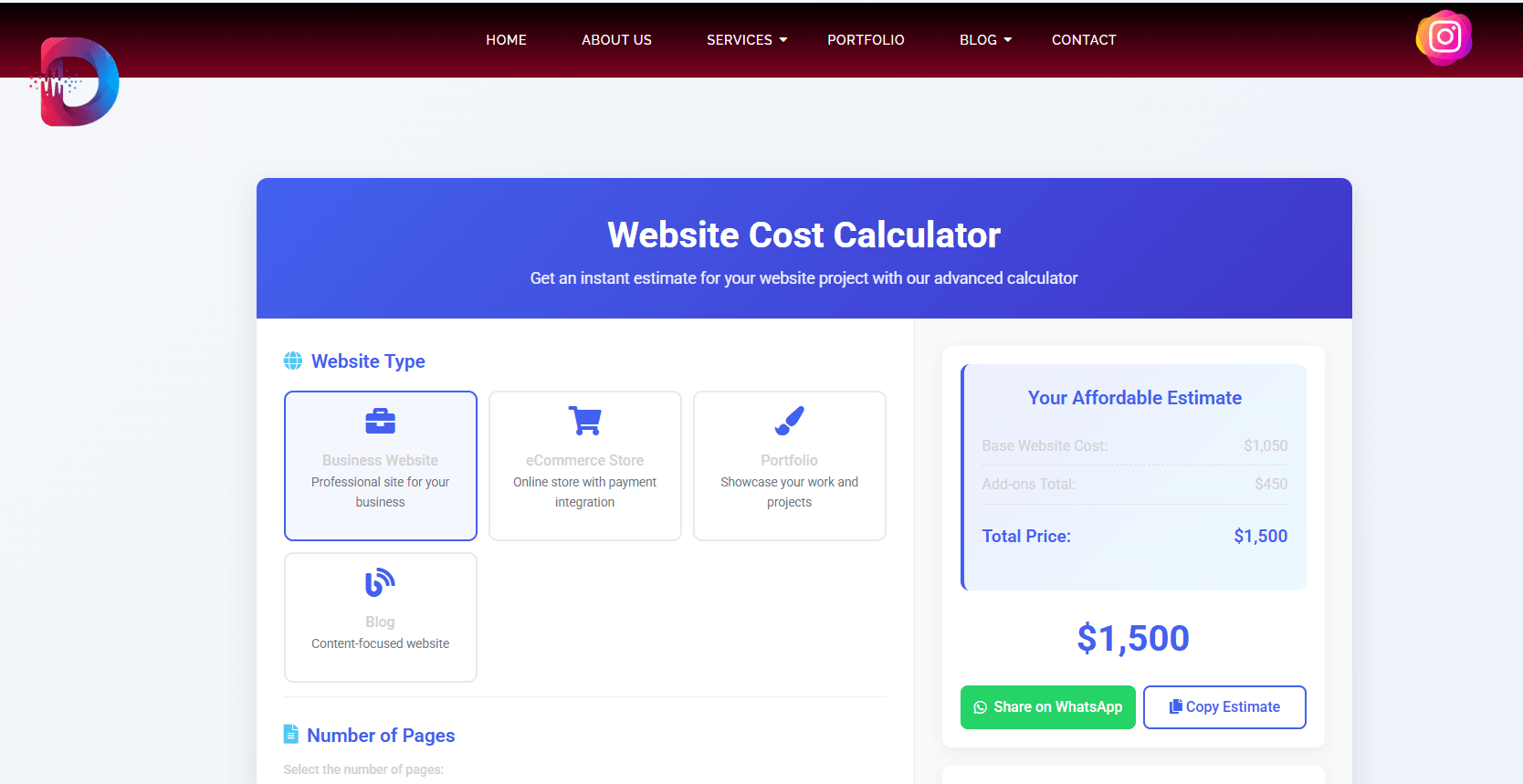
Table of Contents
Lead: The problem we solved
People use price calculators, get a surprising number, and then… disappear.
We ran into this a lot. Visitors used our website cost calculator, grabbed a number, then vanished. The calculator was great at estimating cost, but it didn’t convert curious surfers into paying clients.
So we redesigned the final mile: the calculator → proposal flow. We studied behavior, added production-aware line items, and turned raw outputs into neat, defensible proposals that clients actually sign.
In short: the website cost calculator to proposal pathway converts interest into commitment. It removes buyer anxiety (what am I paying for?) and gives sales an evidence-backed, line-item snapshot they can sign.
Who benefits? Agency owners, freelancers, and product managers who want fewer price objections and more fast, confident signoffs.
TL;DR
Convert calculator outputs into clear, line-item proposals with lead-friendly language, a downloadable proposal, and an automated PDF that clients can sign — you’ll reduce negotiation time and close more projects.
What it means (one simple definition)
“Website cost calculator to proposal” is the process of taking a calculator’s line-item estimate and transforming it into a professional, client-ready proposal that specifies scope, price, timelines, and acceptance steps.
Step-by-step: Turn a calculator number into a signed contract
Below is a practical workflow we used at DevGuruX. Follow it literally.
1) Surface the calculator result in plain language (0–30 seconds)
When a user clicks Get Estimate, show:
- Clear snapshot: total, base price, major line items (design, pages, ecommerce, integrations).
- Badge: “Estimated — final quote subject to review.”
- CTA: Get a formal proposal (this is the conversion point).
Why: people trust numbers more when they see what they’re paying for.
2) Capture the right lead data (short form)
On proposal request, capture:
- Company name, contact, phone, project URL (if any), 2–3 priority features, preferred start month.
Make it a two-step microform (quick in, then optional detail). This reduces form abandonment.
3) Generate a draft PDF automatically (server-side)
Your flow should generate a proposal PDF server-side using the calculator output and lead fields. The PDF must include:
- Project summary (1 paragraph)
- Itemized prices (same line item names as the calculator)
- Lead time and milestone dates
- Payment schedule (deposit % / milestone / final)
- Legal: limited liability, refund policy, acceptance instructions
- Next steps: “Reply with ACCEPT + signature” or click-to-sign link
We use server-side templating (PHP/Twig for WordPress or Node/EJS for headless setups) to ensure consistent deliverables.
Quick implementation tip (WordPress): use a server-side library like dompdf or wkhtmltopdf and merge a template with calculator JSON data.
4) Send proposal by email + show immediate on-site preview
Email should include:
- One-line summary, price, and two buttons: Download proposal (PDF) & Schedule call.
On-site, provide a preview (first page of PDF) so the user doesn’t need to open attachments.
5) Add a human touch: a short video from the founder
Attach a 60–90 second personalized video where Sharjeel (you) says:
“Hi — I reviewed your estimate and included a recommended timeline… here’s what to expect.”
Video increases trust and lifts conversion.
Asset recommendation: Host the video on your site, or on Vimeo private link; include it in the email.
6) Offer a clear acceptance path (e-sign or reply)
Options:
- Click-to-sign (DocuSign, HelloSign) — best for enterprise.
- Reply “ACCEPT” to the email and pay deposit via stripe/pay link.
Make acceptance steps one or two clicks.
7) Follow-up automation (3 nudges)
If no response in 48 hours:
- Friendly reminder — highlight the “most popular” package.
- Social proof — share a quick case study or testimonial.
- Personal outreach — request a 5-minute call.
Automation tools: your email provider (Mailgun/SendGrid + custom templates), or use a CRM that supports sequences.
Technical box — example data model for calculator → proposal
{
  "client": {"name":"Acme FC","email":"coach@acmefc.com"},
  "estimate": {
    "subtotal": 2150,
    "items": [
      {"name":"Design - 5 screens","qty":1,"unit_price":700},
      {"name":"Ecommerce integration (WooCommerce)","qty":1,"unit_price":600},
      {"name":"Custom size matrix & product variants","qty":1,"unit_price":450},
      {"name":"SEO baseline & speed optimization","qty":1,"unit_price":400}
    ],
    "tax": 0,
    "total": 2150
  },
 "timeline": {"start":"2026-03-02","milestones":[{"name":"Design","date":"2026-03-09"},{"name":"Development","date":"2026-03-23"}]}
}
Use this JSON to generate both the on-screen estimate and the PDF proposal. Keeping consistent keys avoids translation errors.
Best practices (trust, clarity & scaling)
- Line-item parity: Use identical item names between calculator and proposal. No surprises.
- Show assumptions: e.g., “Includes up to 3 rounds of revisions.”
- Offer tiers: Basic / Standard / Premium — many clients choose middle.
- Include visuals: small sample mockups or a portfolio screenshot (we used
BwasportsandProlance Sportsscreenshots). - Legal-lite: include clear refund terms and timeline clauses. Clients like clarity.
- Make it human: include a short founder video + one client quote in the PDF.
Limitations & compatibility
- WordPress vs Custom: WordPress + plugins (WooCommerce + PDF libs) is quick and cheap; complex quoting logic (nested BOMs, factory pricing rules) may require custom apps or a headless approach.
- Payment & tax rules: Local taxes and payment gateways differ by country; show provisional tax and note that final invoice will include exact tax.
- Accessibility: Ensure PDF and on-site previews are accessible (proper headings, alt text for images).
- Budget constraints: For small budgets, start with an email-based proposal (manual) and automate as you grow.
Image guidance (recommended)
- Featured screenshot:
website-cost-calculator.png— Alt: “Website cost calculator screenshot showing estimate — website cost calculator to proposal.” (1200×630, WebP/JPEG) - Case study image:
Bwasports-a-Professional-Soccer-Uniform-manufacturing-agency.-a-Clothing-brand--scaled.png— Alt: “BWA Sports site screenshot — portfolio example.” (1200×800, WebP) - Redacted invoice:
redacted-invoice-bwa-2026.png— Alt: “Redacted client invoice used as proof of delivery.” (1200×800, PNG)
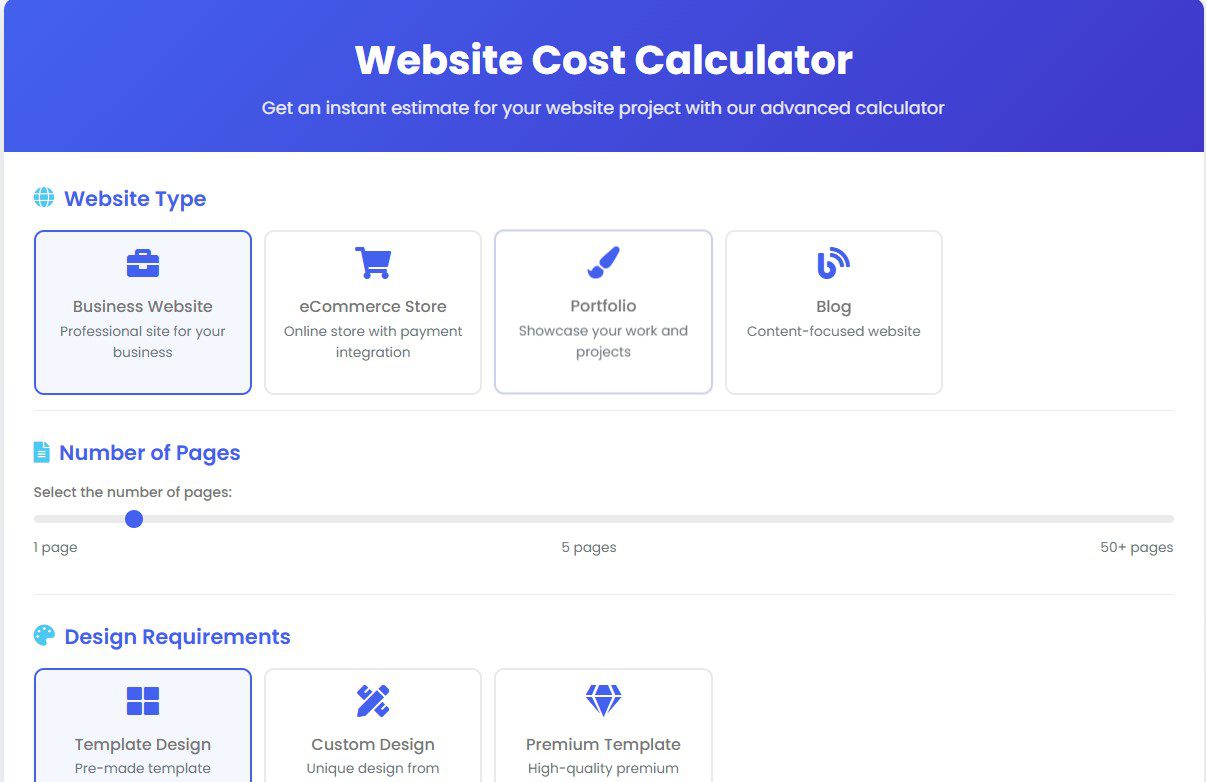
Caption for featured image: DevGuruX calculator snapshot — the first step in a clear proposal pipeline.
Related ideas (mini-concepts)
- Proposal templates for hourly vs fixed projects (two PDFs).
- A “sample invoice” gallery for transparency.
- A “what’s included” interactive widget synced to calculator.
- Video walkthrough per package type.
- A proposal acceptance widget (Stripe/PayPal) embedded in PDF.
- A case-study email series for leads who viewed but didn’t accept.
Internal links
- Try our calculator: Website Cost Calculator
- Learn about our pricing: Web Development Pricing
Resources (external)
- Lighthouse docs — https://developer.chrome.com/docs/lighthouse/ — helpful for explaining performance promises in your proposal.
- Adobe Color — https://color.adobe.com/ — useful when offering palette and fabric color matching suggestions to apparel clients.
FAQ
Q1: Will the calculator output be the final invoice?
A: No — the calculator gives an estimate. The formal proposal lists exact scope, milestones, and the deposit required for booking.
Q2: How long does it take to turn a calculator result into a proposal?
A: With a semi-automated flow, under 10 minutes. Fully manual proposals may take longer, but automation saves the team time.
Q3: Can I request changes after receiving the proposal?
A: Yes — we include a revision policy (typically 2–3 rounds). Major scope changes may change price.
Q4: How do you handle refunds or cancellations?
A: Our proposals include a cancellation and refund clause. Deposits may be non-refundable after development starts.
Q5: Do you provide a sample proposal?
A: Yes — download the proposal template included (see assumptions for file location) and adapt it to your brand.
Why this matters
People buy clarity, not ambiguity. A calculator is a fantastic top-of-funnel tool, but the conversion happens when you present a confident, itemized, and human proposal. That’s how curiosity becomes commitment — and how your revenue stabilizes.
Short author note
Sharjeel — Web Developer & SEO Specialist with 5+ years building conversion-first websites. Learn more at https://devgurux.com/about-us/.
Follow DevGuruX on Pinterest (https://www.pinterest.com/devgurux/), LinkedIn (https://www.linkedin.com/in/affordable-website-developer-and-designer-3468ba23a), and Instagram (https://www.instagram.com/web_devgurux).
