
9 Hidden Costs of a Website Redesign That Can Surprise Your Budget
A website redesign often starts with a simple question:
“How much will the new website cost?”
You collect a few quotes, compare the numbers, choose a developer, and set a budget.
Then the project begins — and the original quote starts changing.
The problem isn’t always that a developer is adding unnecessary extras. A redesign can uncover work that wasn’t obvious when the first estimate was prepared: old content that needs rewriting, broken integrations, SEO issues, slow pages, missing mobile layouts, security requirements, or important functionality that nobody discussed at the beginning.
That is why the cheapest initial quote is not always the cheapest project.
A realistic redesign budget should account for the work surrounding the design itself. Here are nine costs businesses should think about before starting.
1. Content Migration and Content Recreation
Your existing website may look like it has everything ready to move, but content migration is rarely as simple as copying and pasting pages.
A redesign may require:
- Moving content into a new page structure
- Reformatting old pages
- Rewriting outdated information
- Replacing missing images
- Creating new service or landing pages
- Removing duplicate or unnecessary content
- Updating content to fit the new design
An old website may also contain years of content that no longer matches the current business.
This is particularly important for companies with large service websites, product catalogs, blogs, or location pages.
Typical planning range: $500–$5,000+
Before approving a redesign quote, ask:
Is content migration included, and who is responsible for rewriting or creating missing content?
That single question can prevent a surprisingly large budget difference later.
2. Third-Party Integrations
Modern business websites rarely operate alone.
Your website may need to communicate with a CRM, email platform, payment processor, booking system, inventory platform, analytics service, or another business application.
Common examples include:
- HubSpot or Salesforce
- Mailchimp and email platforms
- Stripe or PayPal
- Booking and scheduling software
- Inventory systems
- Customer databases
- Analytics and tracking platforms
Sometimes an integration is as simple as installing a supported connector. Other times, it requires custom API development and testing.
Typical planning range: $300–$2,000+ per integration
Ask your developer to list every external service the current website uses before the redesign begins. Hidden integrations are much easier to budget when they’re identified early.
3. SEO Preservation
This is one of the easiest redesign costs to overlook — and one of the most important.
A new design can look better while the site’s organic visibility gets worse.
During a redesign, important SEO elements can accidentally change:
- URLs
- page titles
- headings
- internal links
- indexed content
- canonical settings
- redirects
- metadata
- structured data
- sitemap coverage
If an old URL disappears without an appropriate redirect, search engines and users may land on a missing page.
A redesign should therefore include an SEO review before the new site goes live, not after traffic has already fallen.
For businesses planning a redesign budget, I also recommend looking at my practical guide on how to get a realistic website cost estimate without the sales pitch. It explains why two website quotes can be dramatically different even when they appear to describe the same project.
Typical planning range: $800–$6,000+
At minimum, your redesign plan should document important existing URLs and how they will be handled on the new website.
4. Performance Optimization
A new website can be visually impressive and still perform poorly.
Large images, unnecessary scripts, heavy animations, poorly optimized plugins, and inefficient code can all affect how quickly pages become usable.
Performance work may include:
- Image compression and sizing
- Font optimization
- Script optimization
- CSS and JavaScript cleanup
- Caching
- Database optimization
- Content delivery configuration
- Core Web Vitals improvements
- Testing on mobile devices
Typical planning range: $400–$3,000+
The important point is that performance shouldn’t be treated as a cosmetic upgrade added at the very end.
It should be considered during development, because the design and technical implementation influence each other.
5. Mobile Optimization Beyond Basic Responsiveness
“Mobile responsive” can mean very different things.
A website may technically resize itself on a phone and still provide a poor experience.
A proper mobile review may uncover problems with:
- Navigation
- Buttons and tap targets
- Forms
- Typography
- Image sizes
- Spacing
- Tables
- Menus
- Checkout flows
- Booking interfaces
- Mobile-specific interactions
Some businesses also have a large share of customers using smartphones, making mobile usability particularly important.
Typical planning range: $600–$4,000+
Don’t simply ask:
“Is the website responsive?”
Ask:
“How will the redesigned site be tested on real mobile devices?”
That gives you a much clearer idea of what is actually included.
6. Security and Technical Hardening
Security is another area that can disappear from a basic redesign quote.
The exact requirements depend on the website, the information it handles, the services it connects to, and the site’s user permissions.
Potential work can include:
- SSL configuration
- User-access management
- Security configuration
- Backup systems
- Vulnerability scanning
- Plugin and software updates
- Secure form handling
- Monitoring
- Protection for sensitive business information
For websites operating in regulated industries, additional requirements may also apply.
Typical planning range: $500–$3,000+
The key question is not simply whether the website has an SSL certificate.
Ask what security work is included before, during, and after launch.
7. Training and Documentation
The redesign is finished. The developer hands over the website.
Then someone on your team asks:
“How do we update this?”
This is where training and documentation matter.
Depending on the website, you may need:
- CMS training
- Admin instructions
- Content-editing guidance
- Documentation for custom features
- Video walkthroughs
- Instructions for routine maintenance
Typical planning range: $300–$2,000+
A complicated website that nobody knows how to manage can become expensive even when the development itself went perfectly.
Before signing, ask whether training or documentation is included in the project handover.
8. Testing and Quality Assurance
A website should not go live simply because the pages look finished.
Testing can reveal issues that are difficult to spot during normal development:
- Broken links
- Form failures
- Checkout problems
- Browser compatibility issues
- Mobile layout problems
- Performance issues
- Accessibility problems
- Incorrect redirects
- Tracking errors
- Unexpected plugin conflicts
Typical planning range: $400–$2,500+
Testing is especially important when a redesign changes business-critical functionality.
An online store, booking website, membership site, or lead-generation website can lose real business when an important feature breaks.
A redesign quote should therefore explain what will be tested before launch.
9. Post-Launch Optimization
Launching the website is not necessarily the end of the project.
Once real users start interacting with the redesigned site, you’ll discover things that were difficult to identify during development.
For example:
- Users may ignore an important call to action.
- A form may have a high abandonment rate.
- Some pages may still load slowly.
- Customers may struggle with navigation.
- Certain content may need clarification.
- Search performance may require adjustments.
Post-launch work can include:
- Conversion improvements
- Performance monitoring
- Analytics review
- SEO adjustments
- User-experience improvements
- A/B testing where appropriate
- Content refinement
Typical planning range: $500–$3,000+ for ongoing optimization
You don’t necessarily need a large post-launch budget, but you should decide before launch whether optimization is part of the plan.
Why Website Redesign Quotes Can Be So Different
Two developers can receive the same redesign request and return very different prices.
One quote might cover:
New design + development
Another might include:
Content migration + technical SEO + redirects + integrations + testing + performance + training + launch support
Both quotes may be legitimate.
The difference is what is actually included in the scope.
That’s why comparing only the final price can be misleading.
Instead, compare the deliverables.
Ask:
- How many pages are included?
- Is content migration included?
- Who writes or updates the content?
- Are existing URLs being preserved?
- Are redirects included?
- Are integrations included?
- How will mobile layouts be tested?
- Is performance optimization included?
- Who handles testing?
- What happens after launch?
- What is considered a change request?
A detailed scope makes the price much easier to understand.
A Simple Website Redesign Budget Checklist
Before approving a project, review these areas.
Planning
- Current website and content audit
- Page and URL inventory
- Existing integrations
- SEO baseline
- Security requirements
- Mobile requirements
- Business-critical functionality
Budget
- Design and development
- Content work
- Migration
- Integrations
- SEO preservation
- Performance
- Testing
- Training
- Launch support
- Post-launch improvements
Vendor agreement
- Clear scope
- Defined deliverables
- Revision limits
- Change-request process
- Testing responsibilities
- Launch process
- Ownership and access
- Support after launch
The goal isn’t to predict every possible problem.
The goal is to make sure the important ones are discussed before work begins.
How to Keep a Redesign From Going Over Budget
A few practical habits can make the process much easier.
Start With the Business Problem
Don’t redesign every page simply because the website looks old.
Identify what actually needs to improve.
Is the problem:
- Poor conversion?
- Difficult navigation?
- Weak mobile experience?
- Outdated content?
- Slow performance?
- Poor search visibility?
- A confusing customer journey?
The answer should influence the scope.
Separate Essential Work From Nice-to-Have Features
Decide what must exist at launch and what can wait.
For example, a business may need a better service structure and contact system immediately, while advanced animations or additional interactive features can be added later.
Build in Phases When Appropriate
For larger projects, a phased approach can make budgeting easier:
Phase 1: Core redesign and essential functionality
Phase 2: Optimization and refinements
Phase 3: Additional functionality and future improvements
This isn’t right for every project, but it can prevent a business from trying to solve every problem in one release.
Keep a Contingency
Even with good planning, redesigns can uncover unexpected technical or content issues.
A contingency budget gives you room to deal with genuine surprises without having to restart the entire project.
Are All “Hidden Costs” Really Optional?
Not necessarily.
Some are optional enhancements. Others are costs that only appear “hidden” because they weren’t discussed in the original scope.
For example:
- Advanced animation may be optional.
- New custom integrations may be necessary.
- Content rewriting may be necessary if the old content no longer fits.
- SEO redirects may be necessary when URLs change.
- Testing is necessary if you want confidence before launch.
The right question isn’t:
“How do I avoid every extra cost?”
It’s:
“Which costs are necessary for this particular redesign, and were they included in the original scope?”
That is a much better way to evaluate a proposal.
The Real Cost of a Website Redesign
A redesign should not be judged by the visual result alone.
The real project may include research, content work, design, development, migration, integrations, SEO preservation, testing, performance, launch support, and future optimization.
When those pieces are considered from the beginning, the budget becomes much easier to understand.
Before choosing a redesign quote, ask for a detailed scope and make sure you know what is included, what is excluded, and what could become an additional charge.
A realistic quote isn’t necessarily the cheapest number on the page.
It’s the one that gives you the clearest picture of what you’re actually buying.
Final Takeaway
The nine areas most likely to affect a redesign budget are:
- Content migration and recreation
- Third-party integrations
- SEO preservation
- Performance optimization
- Mobile optimization
- Security
- Training and documentation
- Testing and quality assurance
- Post-launch optimization
You don’t necessarily need all nine at the same level.
You do need to know which ones apply to your website before the project starts.
That is how you turn a vague redesign quote into a realistic project budget.
Related Resources
Website Redesign Cost Estimate
Get a starting estimate based on the requirements of your website.
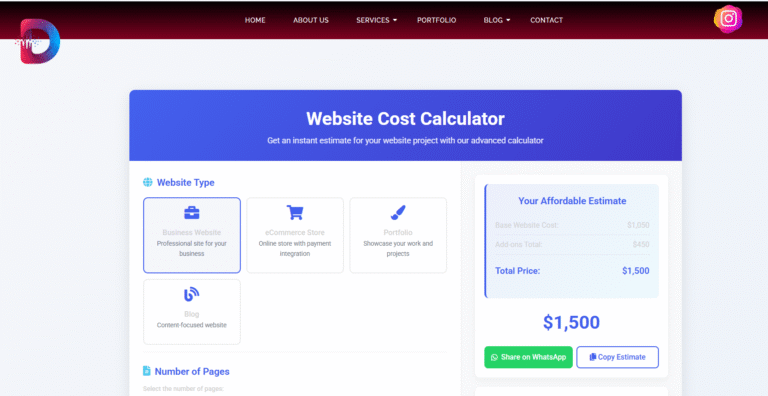
Website Cost Calculator
Use the calculator to explore how different project requirements can affect the estimated cost.
Our Working Process
See how DevGurux approaches website projects from planning through launch.