5 Website Features That Save Small Business Owners Hours Every Single Week
Most small business owners launch a website expecting a static digital brochure. They draft an about page, list their services, drop a basic contact form, and call it a day.
Yet, within months, these same business owners find themselves buried under an avalanche of administrative overhead. They spend their weekends manually copying contact form data into spreadsheets, sending email chains back and forth to schedule simple phone calls, and answering the exact same customer support queries over and over.
Your website shouldn’t be a passive expense that demands constant manual upkeep. When planned with clear technical foresight, your digital platform can function as a tireless, fully automated employee that works around the clock to manage your pipelines, qualify your leads, and sync your business data directly to your operational hubs.
Whether you are planning a comprehensive website redesign or starting a new build from scratch, implementing smart workflow automation directly into your platform architecture is the ultimate competitive advantage.
Here are five high-performing website features engineered to optimize your operations and save your team hours of manual work every single week.
1. Automated Lead Capture and Direct CRM Syncing
Manual data entry is one of the biggest time-wasters in small business operations. If your team is still manually copy-pasting customer details from email alerts into spreadsheets or separate management tools, your follow-up times are dropping and leads are slipping through the cracks.
[User Submits Lead Form]
         │
         ▼ (Secure HTTPS Post Request)
[Direct API Webhook Pipeline]
         │
         ├───► Auto-Generate Client Profile in CRM
         ├───► Instantly Notify Field Sales Team
         └───► Fire Off Personalized Welcome Email Sequence
Modern web architectures solve this issue by using secure API pipelines and CRM automation solutions. When a prospect fills out an inquiry form, the system immediately sanitizes the input and fires a direct webhook post request to your internal CRM (like HubSpot, Salesforce, or Zoho).
This secure data transfer takes place instantly, ensuring your sales pipeline is updated without a single line of manual data entry.
🛑 Common Mistake
Relying on basic contact forms that only send simple email alerts. If your site’s forms don’t actively pass data to your operational systems, your team has to handle those records manually, which slows down follow-ups and risks losing prospective clients.
2. Interactive Self-Service Quoting Tools and Calculators
Qualifying every single lead manually over the phone is incredibly time-consuming. You can waste hours of valuable consultation time on prospects who simply don’t have the budget for your premium services.
Integrating custom dynamic estimators directly into your pages provides instant, transparent answers to prospective buyers 24/7. This helps filter out unqualified leads while giving high-intent prospects a clear, frictionless path to take action.
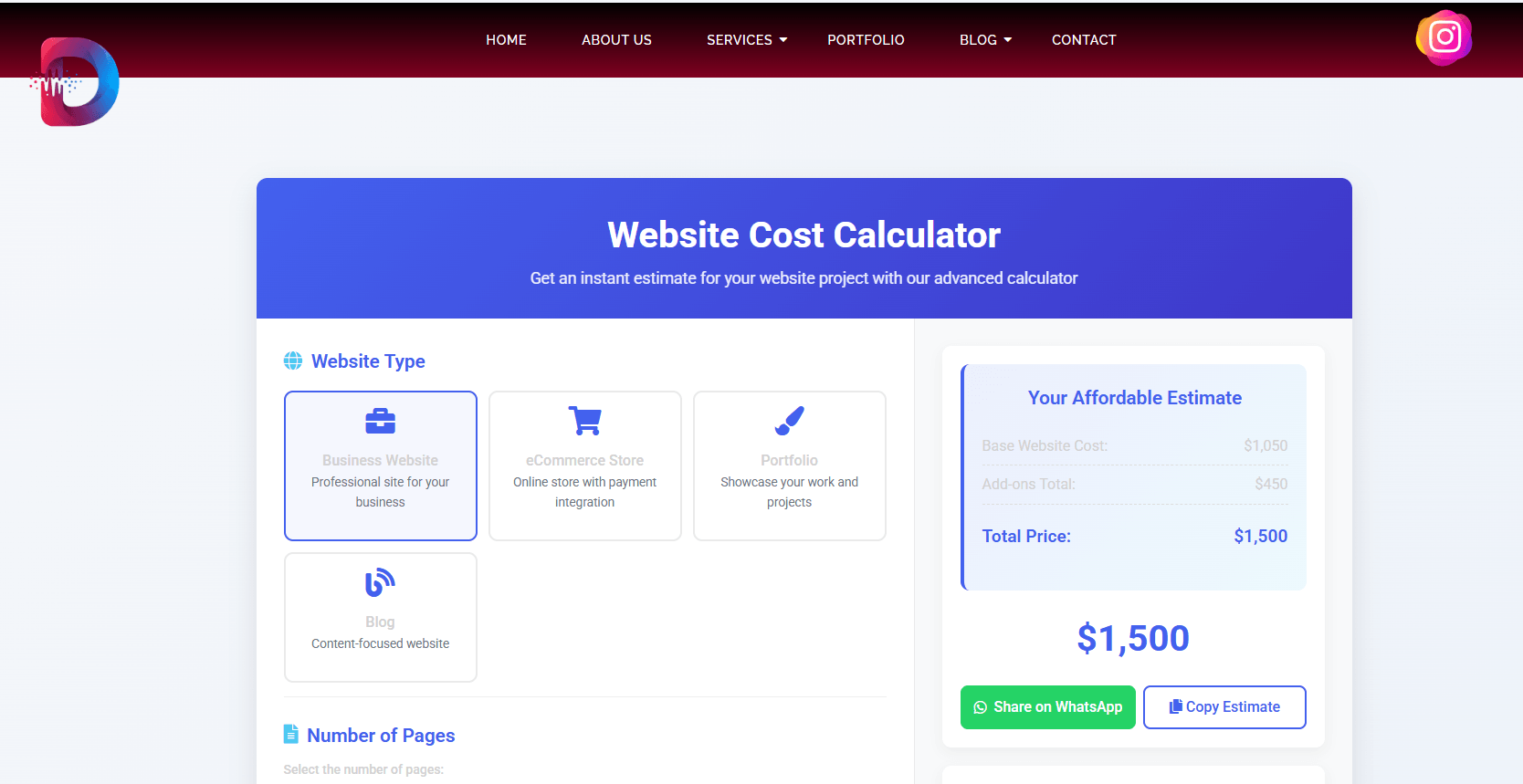
For example, a prospective client looking to budget a project can visit our interactive website cost calculator. By adjusting project scopes, selecting custom features, and reviewing real-time estimates, the user gets a realistic calculation in seconds, which helps pre-qualify their budget before booking a call.
3. Dynamic On-Page Scheduling and Booking Calendars
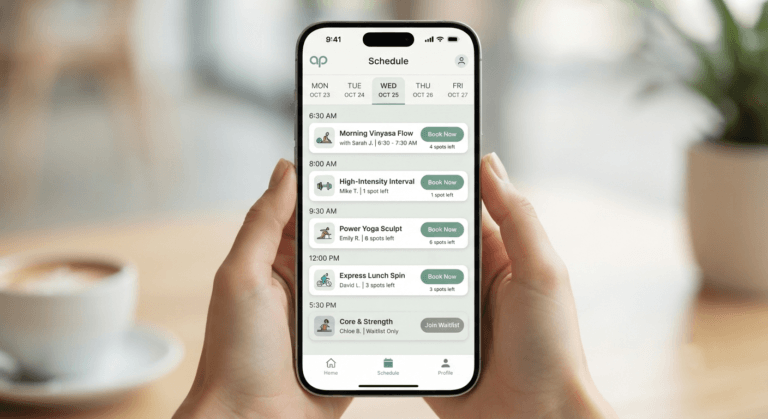
Answering back-and-forth emails just to schedule an introductory consultation call is a major bottleneck. Integrating a direct scheduling calendar keeps your booking process simple, immediate, and completely automated.
An optimized booking pipeline allows visitors to view your real-time availability, select a slot, fill out your pre-consultation intake questions, and secure their booking in under a minute.
For service providers requiring upfront payments, these calendars can connect with secure payment processors like Stripe to process deposits immediately.
| Metric | Manual Email Booking | Automated On-Page Scheduling |
|---|---|---|
| Average Booking Time | 24 – 48 hours of back-and-forth emails. | Under 60 seconds of self-service. |
| Data Synchronization | Manual data entry across calendars. | Instant, automated calendar syncing. |
| No-Show Rate | Up to $25\%$ due to lack of reminders. | Under $5\%$ via automated email/SMS updates. |
| Customer Friction | High (demands constant user attention). | Zero (user holds complete booking autonomy). |
By eliminating booking delays, local service brands throughout Calgary and Edmonton can secure high-intent leads before they look elsewhere. Implementing this through tailored website development Calgary strategies keeps your scheduling funnel fast, intuitive, and highly responsive.
4. AI-Powered Customer Support Chatbots
Your support team shouldn’t spend half their day answering basic FAQs like: “What are your operating hours?” or “Do you offer custom integrations for our billing software?”
An automated conversational AI agent, built with clean chatbot development standards, resolves basic customer support questions instantly. This frees up your team to focus on high-value business development.
Unlike old, rule-based chatbots that frustrate users with rigid menus, modern AI chatbots are trained on your unique company data and documents. They can read context, solve complex queries, and even capture lead information to schedule calls—acting as a secure, automated extension of your customer service team.
⚡ Pro Tip
To prevent support widgets from slowing down your site, configure your developer to load scripts asynchronously. This ensures your core page files load instantly on mobile viewports before your chat systems initialize, keeping your mobile loading speeds highly optimized.
5. Automated Onboarding Pipelines and Secure Portals
Once a lead converts into a client, the onboarding process often creates a fresh wave of manual administrative tasks—such as sending contract documents, organizing intake forms, and requesting initial project assets.
Your website can automate these tasks through secure onboarding portals. The moment a client pays their deposit, your site can trigger a structured automation chain:
- Automatically create a secure, private client dashboard.
- Generate and email a digital service contract.
- Lock in an automated intake questionnaire inside their portal.
- Set up structured file upload zones for project asset transfers.
By planning these automated systems during your WordPress development phase, you save hours of administrative setup and deliver a polished, highly professional experience to your clients.
The Financial Impact: Calculating Your Real ROI
Web automation does more than just save you time; it recovers lost revenue and drives down your customer acquisition costs. Let’s calculate the direct financial return on investment (ROI) of automated web systems:
Let $H_w$ represent the total hours of manual admin tasks saved per week, and $R_h$ represent the business owner’s hourly labor value. We can model the annual financial recovery ($F_r$) with this simple formula:$$F_r = H_w \times 52 \times R_h$$
If an optimized setup saves you just 10 hours of manual work a week ($H_w = 10$) and your time is valued at a conservative $75 an hour ($R_h = 75$):$$F_r = 10 \times 52 \times 75 = \$39,000$$
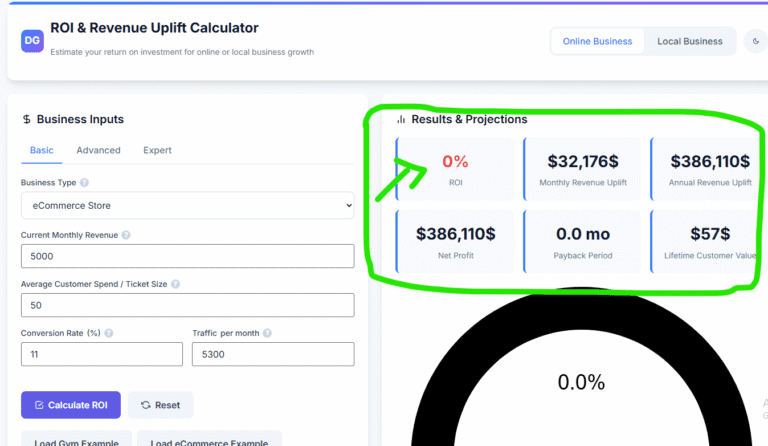
By recovering $39,000 in lost time annually, your company can reinvest those hours into closing sales, optimizing services, and scaling your brand. You can test your own business metrics using our interactive Revenue ROI Calculator to see how automation and speed optimization can grow your bottom line.
Frequently Asked Questions (FAQ)
What is the most effective website feature for saving administrative time?
Automated lead-to-CRM syncing is usually the most impactful feature. Connecting your website forms directly to your operational CRM eliminates manual data entry and ensures your team can follow up with new leads instantly.
How do custom web integrations protect our business data privacy?
A secure integration relies on structured API keys, HTTPS data transfers, and OAuth2 validation protocols to protect your client details. This ensures customer data is passed securely between your website and external tools without exposing database vulnerabilities.
Can automated scheduling systems handle custom availability rules?
Yes. Modern scheduling tools allow you to configure precise booking windows, buffer times between calls, maximum daily booking limits, and direct calendar syncing, ensuring you maintain complete control over your schedule.
Will adding automated chatbots slow down our page loading speeds?
Only if they are coded carelessly. By using lightweight scripts and loading your widgets asynchronously, you can deploy advanced chat systems without slowing down your site’s core load times or hurting your mobile user experience.
What is the practical difference between workflow automation and CRM automation?
CRM automation focuses specifically on organizing, updating, and segmenting your client records. Workflow automation covers broader operational pipelines, such as sending digital contracts, updating internal databases, and triggering system-wide alerts.
How do we connect our website forms to our existing business software?
We use secure custom integrations and API connections to build reliable bridges between your website forms and your everyday business tools, ensuring seamless data flow.
Can our current WordPress site support advanced automation systems?
Absolutely. WordPress is highly extensible and acts as an excellent hub for custom automations, letting you connect advanced CRM integrations, booking platforms, and custom calculating engines effortlessly.
How do self-serve quoting calculators improve lead quality?
Displaying transparent price calculations helps pre-qualify prospects based on their budget. This filters out unqualified buyers early in the funnel, saving your team from wasting hours on manual quotes for poor-fit leads.
What is the best way to secure client file transfers?
Deploying secure onboarding portals on your domain provides encrypted file upload zones, ensuring client documents and files are stored safely without relying on insecure email attachments.
How often should automated website systems undergo technical updates?
To ensure consistent performance and security, automated platforms should be updated regularly. Our structured Website Maintenance programs provide continuous checkups to keep your integrations, plugins, and custom codes running flawlessly.
Transforming Your Website into a High-Performance Growth Engine
A premium business website should act as an automated coordinator for your daily operations, not an isolated island of text. By integrating smart scheduling calendars, direct CRM webhooks, and conversational AI chatbots into your platform, you reclaim your weekends and build a highly scalable, secure asset.
At DevGurux, led by expert web developer and consultant Sharjeel Bin Amir, we engineer custom automated web platforms built to rank, convert, and streamline your operations.
Stop letting manual administrative work eat into your valuable time. Reclaim your calendar and transform your website into an automated growth engine.
Take the first step toward optimizing your workflows. Explore our complete AI Automation solutions, or book a free discovery consultation with our technical team on our Contact page today.
Author Profile
Sharjeel Bin Amir
Founder & Lead Web Architect at DevGurux
Sharjeel Bin Amir is a professional developer, SEO consultant, and automation specialist. He partners with scaling business owners and service brands to turn slow, manual web platforms into highly secure, automated growth engines.