

If you run a small business in Calgary, your website is often your biggest and most cost-effective marketing tool. But having a website isn’t enough — it needs to be built the right way to appear in local Google searches, convert visitors, and compete with bigger companies. This checklist gives you exactly what Calgary small businesses need in 2026 to rank locally and turn visitors into customers. 1. Google Business Profile Integration Your website must work together with your Google Business Profile. Add your NAP (Name, Address, Phone), embed the map, and include customer reviews directly on the site. Pro Tip for Calgary businesses: Mention specific neighbourhoods (Beltline, Kensington, Marda Loop, Inglewood, Downtown) in your content so Google understands your local relevance. 2. Mobile-First & Lightning-Fast Speed Over 60% of local searches in Calgary happen on mobile phones. Your site must load in under 3 seconds on mobile. Slow websites kill rankings and conversions. Optimize images, enable caching, and use clean code. 3. Local Schema Markup (Structured Data) Add LocalBusiness schema so Google clearly understands you serve Calgary and surrounding areas. This helps with rich results and “near me” searches. 4. Clear Service Pages with Local Focus Don’t just say “We offer plumbing services.” Write: “Plumbing Services in Beltline & Downtown Calgary – 24/7 Emergency Response.” Every major service should have its own page with Calgary-specific information. 5. Strong Calls-to-Action (CTAs) Every page should have clear next steps: “Call Now”, “Book Appointment”, “Get Free Quote”, or “Calculate Website Cost”. 6. Trust Signals & Social Proof Display real customer reviews, testimonials from Calgary clients, before/after examples, and trust badges. Google loves authentic social proof for local rankings. 7. Fast & Easy Contact Options Include click-to-call phone number, WhatsApp button, contact form, and clearly visible business hours. 8. High-Quality, Optimized Images Use real photos of your business, team, and Calgary locations (not stock images). Optimize them for speed and add proper alt text with local keywords. 9. Blog or Resources Section Regularly publish helpful content like “How to Prepare Your Home for Calgary Winter” or “Best Marketing Tips for Local Trades Businesses”. This builds authority and brings long-term traffic. 10. AI-Powered Lead Capture Simple AI chatbots or smart forms that answer common questions and capture leads even when you’re not available. 11. Clear Pricing Transparency (or Instant Estimator) Show packages or link to a cost calculator. Calgary customers appreciate honesty and hate surprise pricing. Final Step: Get Your Free Website Health Check Use our free tools to see how your current website performs and what needs improvement. → Get Your Free Website Cost Estimate Running a business in Calgary? Get a professional, high-converting website designed specifically for the YYC market with transparent pricing and fast delivery. Explore our Calgary Website Development Services → Why This Checklist Matters for Calgary Small Businesses In a competitive city like Calgary, your website is often the first impression customers have of your business. A properly optimized site doesn’t just look good — it works as a 24/7 salesperson that ranks locally and generates leads consistently. About the Author: Sharjeel Bin Amir, Founder of DevGurux — Helping Calgary and Alberta small businesses build affordable, high-performing websites since 2022.

Custom AI Chatbot Cost – Transparent Breakdown
If you’ve ever searched for the price of a custom AI chatbot, you’ve probably seen numbers ranging from a few hundred dollars to well over $100,000. That kind of spread doesn’t just feel confusing – it feels impossible to budget for. The truth is that the cost of an AI chatbot depends heavily on what you need it to do. A simple Q&A bot that answers basic questions on your website costs far less than a fully conversational assistant wired into your CRM, booking system, and inventory database. Neither price is wrong; they’re just building different things. In this article, I’ll walk you through exactly what drives the cost of a custom AI chatbot, what you can expect to pay at each tier, and how to get a fair, transparent estimate without the sales pressure. What Drives the Cost of an AI Chatbot? Several factors push the price of a chatbot up or down. Understanding these will help you see why one developer quotes 800andanotherquotes800andanotherquotes80,000 for what sounds like the same thing. 1. Level of intelligence A basic rule‑based chatbot follows a simple decision tree: if the visitor says “pricing,” show them the pricing page. These are inexpensive to build but feel robotic and can’t handle unexpected questions. A truly conversational AI chatbot uses natural language processing (NLP) to understand the intent behind a question, even when it’s phrased in a way the bot hasn’t seen before. It can hold multi‑turn conversations, ask clarifying questions, and give answers that feel human. This kind of intelligence is more expensive to develop, but it’s also what turns a chatbot into a genuine lead‑generation tool. 2. Training data and knowledge base A chatbot is only as good as the information you feed it. If you have a well‑organised FAQ page, a clear set of product details, or a documented sales process, training the bot is straightforward. If you’re starting from scratch with no structured content, the developer will need to spend more time building that knowledge base – and that time adds to the cost. 3. Integrations This is where costs can climb quickly. A chatbot that simply answers questions on your website needs no integrations. A chatbot that can book meetings in your calendar, create new leads in your CRM, check order status, or escalate to a human agent requires connections to those systems. Every integration adds development time and complexity. 4. Multi‑platform deployment Will the chatbot live only on your website, or do you want it on WhatsApp, Facebook Messenger, Instagram, and Slack? Each additional platform requires its own setup and testing. If you plan to be everywhere, expect the price to reflect that. 5. Ongoing maintenance and improvement A chatbot is not like a website that you build once and let sit. It needs monitoring, updating, and training as your business changes and as your customers ask new questions. Some providers include a maintenance period in the initial price; others charge monthly. Either way, ongoing maintenance is a real cost that should be factored in from day one. Custom AI Chatbot Pricing Tiers (Real, Transparent Numbers) Here is a realistic look at what you can expect to pay based on the complexity of the chatbot you need. Starter AI Chatbot – 499to499to800 Best for: Small businesses that want to stop losing after‑hours leads without a huge investment. Professional AI Chatbot – 1,200to1,200to2,800 Best for: Growing businesses that want a chatbot that actively generates qualified leads. Enterprise AI Chatbot – 3,500to3,500to12,000+ Best for: Businesses with high lead volume or complex sales processes that need a chatbot as a core part of their operations. What About Hidden Costs? Some agencies will quote a low setup fee and then charge monthly retainers of 500to500to1,000 for “maintenance” – which often means absolutely nothing changes month to month. Others will charge extra for each new integration or every time you want to update the chatbot’s responses. Before you hire anyone, ask these questions: A transparent provider will answer all of these clearly without hesitation. How Much Should You Actually Spend? The answer depends on one simple question: how much is a missed lead worth to your business? If you run a small service business that gets ten inquiries a week and you close two of them at 500each,a500each,a499 chatbot that captures even one extra lead a month pays for itself in the first month. If you run a high‑ticket B2B company where a single lead is worth 10,000,investing10,000,investing5,000 in a professional chatbot that qualifies and routes leads automatically is not just sensible – it’s urgent. The goal is not to spend as little as possible. It’s to spend an amount that will reliably generate more than that in saved time and new revenue. How to Get a Fair, Transparent Estimate The best way to avoid overpaying – or under‑building – is to start with a clear, honest conversation about what you actually need. A good developer will ask about your sales process, your most common customer questions, and your current lead handling before quoting a price. At DevGurux, we build custom AI chatbots that range from simple lead‑capture assistants to fully conversational AI with CRM integration and multi‑platform deployment – all with transparent, upfront pricing and no hidden retainers. If you’re curious what a chatbot built for your specific business would cost, you can explore our custom AI chatbot development services or contact us directly for a free, no‑obligation strategy call. A chatbot should pay for itself, not become a financial drain. With the right information and a trustworthy developer, you can build something that genuinely works for your business without the mystery or the markup. Frequently Asked Questions How much does a basic AI chatbot cost?A simple Q&A chatbot trained on your FAQs typically costs between 499and499and800 as a one‑time investment. This includes deployment on your website and basic lead capture. What’s the difference between a 500chatbotanda500chatbotanda10,000 chatbot?The intelligence level, integrations, and platform coverage. A 500chatbotanswersbasicquestionsonyourwebsite.A500chatbotanswersbasicquestionsonyourwebsite.A10,000 chatbot can hold multi‑turn conversations, integrate with your CRM and booking system, and work across multiple messaging platforms. Are there ongoing monthly fees

Redesign Minefields – 9 Hidden Costs (Fixed)
Discover 9 hidden website redesign costs that can blow your budget. Our comprehensive checklist helps you avoid expensive surprises and plan your redesign effectively. By Sharjeel | Published on 2025-02-13 The Website Redesign Budget Illusion Every website redesign starts with a budget that seems reasonable. You get quotes, compare options, and select a developer who promises to deliver your dream site for a price that fits your financial plan. Then the minefield begins. I’ve seen businesses go 50-200% over budget on website redesigns, not because of developer greed, but because of hidden costs they never anticipated. These aren’t extras or scope creep—they’re essential components that weren’t included in the original quote but are absolutely necessary for a successful redesign. The most dangerous part? These hidden costs often appear late in the project when you’re already committed and have little leverage to negotiate. Understanding them before you start is the only way to protect your budget and your sanity. The 9 Hidden Cost Categories Based on analyzing dozens of redesign projects, I’ve identified nine hidden cost categories that consistently blow budgets. These aren’t optional extras—they’re essential elements that should be planned for from day one. 1. Content Migration and Recreation The Hidden Cost: $500-5,000+ Why It Happens: Most quotes assume you’ll provide all content in perfect, web-ready format. Reality is different. Content migration involves: Real Example: A retail client budgeted $1,000 for content migration but spent $4,500 when they discovered 60% of their product descriptions needed updating and 30% were missing entirely. 2. Third-Party Integrations The Hidden Cost: $300-2,000+ per integration Why It Happens: Modern websites connect to dozens of services, and each integration requires custom development. Common integrations include: Real Example: A service business budgeted $500 for integrations but spent $3,200 when they needed custom API development for their proprietary CRM. 3. SEO Preservation and Enhancement The Hidden Cost: $800-6,000+ Why It Happens: Redesigns can destroy your search rankings if not handled properly. SEO preservation includes: Real Example: A professional services firm lost 60% of their organic traffic after a redesign because they didn’t budget for proper SEO preservation. Recovery cost them $8,000 over three months. 4. Performance Optimization The Hidden Cost: $400-3,000+ Why It Happens: Beautiful designs often load slowly, and speed optimization is rarely included in base quotes. Performance optimization includes: Real Example: An e-commerce site saw their conversion rate drop 40% after launch due to slow loading times. Performance optimization cost $2,800 but restored their conversions. 5. Mobile Responsiveness Beyond Basic The Hidden Cost: $600-4,000+ Why It Happens: Basic responsive design isn’t enough for modern mobile expectations. Advanced mobile optimization includes: Real Example: A restaurant budgeted for basic responsive design but spent an additional $3,200 on mobile-specific features when they realized 70% of their customers ordered from phones. 6. Security Implementation The Hidden Cost: $500-3,000+ Why It Happens: Security is often treated as an afterthought rather than an essential component. Security implementation includes: Real Example: A healthcare provider faced potential HIPAA violations after launch because security wasn’t properly implemented. Emergency security fixes cost $4,500. 7. Training and Documentation The Hidden Cost: $300-2,000+ Why It Happens: You need to know how to use and maintain your new website. Training and documentation include: Real Example: A nonprofit organization couldn’t use 60% of their new website’s features because they didn’t receive proper training. They paid $1,800 for additional training sessions. 8. Testing and Quality Assurance The Hidden Cost: $400-2,500+ Why It Happens: Thorough testing takes time and expertise that basic quotes don’t include. Comprehensive testing includes: Real Example: An e-commerce site launched with a broken checkout process that cost them $15,000 in lost sales before it was discovered. Proper testing would have cost $1,200. 9. Post-Launch Optimization The Hidden Cost: $500-3,000+ (ongoing) Why It Happens: Launch isn’t the end—it’s when real optimization begins. Post-launch optimization includes: Real Example: A SaaS company doubled their conversion rate through three months of post-launch optimization that cost $4,200 but generated $50,000 in additional monthly revenue. Real-World Budget Blowouts These hidden costs aren’t theoretical—they’ve impacted real businesses in significant ways: Case Study 1: The E-commerce Disaster Original Budget: $8,000 Final Cost: $19,500 (144% over budget) What Happened: An online clothing store focused on design aesthetics but neglected technical essentials. They needed: Lesson Learned: Technical functionality is as important as visual design. Case Study 2: The Professional Services Meltdown Original Budget: $5,000 Final Cost: $12,000 (140% over budget) What Happened: A consulting firm lost 60% of their organic traffic after redesign because: Lesson Learned: SEO preservation should be a non-negotiable part of any redesign budget. Case Study 3: The Healthcare Crisis Original Budget: $10,000 Final Cost: $18,500 (85% over budget) What Happened: A healthcare provider faced potential compliance issues because: Lesson Learned: Industry-specific compliance requirements must be identified and budgeted for upfront. The Prevention Checklist The good news? Every hidden cost can be anticipated and planned for. Use this checklist before starting your redesign: Planning Phase Checklist Budget Planning Checklist Vendor Selection Checklist Smart Budgeting Strategies Beyond avoiding hidden costs, these strategies help you get maximum value from your redesign budget: The 80/20 Rule Allocate 80% of your budget to essential functionality and 20% to enhancements and optimizations. This ensures core features aren’t sacrificed for nice-to-have additions. The Phase-Based Approach Plan your redesign in phases with clear success metrics: This approach spreads costs over time while ensuring you can launch with a functional site. The Value-Based Prioritization Rank all features by business impact and implementation cost: The Contingency Fund Always include a 15-20% contingency fund in your budget. Even with perfect planning, unexpected issues arise during complex projects. When Hidden Costs Are Worth It Not all hidden costs are bad investments. Some actually deliver significant returns: High-ROI Hidden Costs Calculating ROI For each potential hidden cost, calculate the potential return: text ROI = (Gain from Investment – Cost of Investment) / Cost of Investment If the ROI is positive and the payback period is reasonable, the “hidden cost” is actually a smart investment. TL;DR Website
From Factory Floor to Lookbook – Manufacturing UX
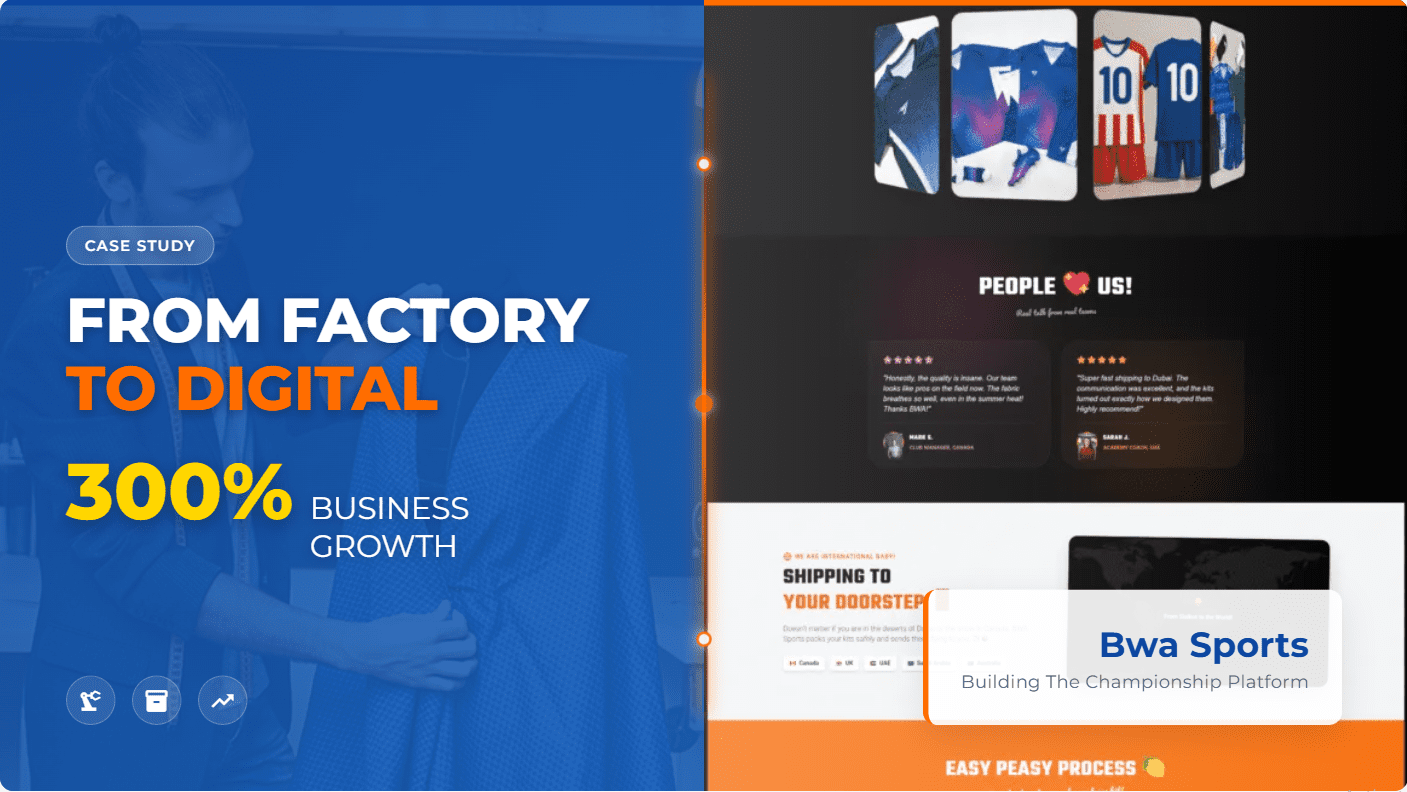
Discover proven UX strategies for manufacturing and apparel e-commerce sites. Learn how to transform factory processes into compelling online experiences that convert visitors into By Sharjeel | Published on 2026-02-25 The Manufacturing E-commerce Challenge Manufacturing and apparel companies sit at a fascinating intersection of physical production and digital commerce. Unlike typical e-commerce that simply moves products from warehouse to customer, these businesses must communicate complex production processes, customization options, and quality craftsmanship—all while creating an engaging shopping experience. Having worked with manufacturers like Bwa Sports, Prolance Sports, and Sherry Bros, I’ve seen the same challenge repeatedly: how do you translate the tangible reality of factory floors, sewing machines, and quality control into a compelling digital experience that converts visitors into customers? The answer lies in understanding that manufacturing e-commerce isn’t just about selling products—it’s about selling the story behind those products. Every stitch, every fabric choice, every quality check becomes part of your value proposition when designed correctly. Bridging Physical Production and Digital Experience Manufacturing e-commerce UX best practices begin with a deep understanding of your physical production processes. Before designing a single screen, I spend time on factory floors, watching how products are made, understanding the craftsmanship, and identifying the unique value propositions that set your products apart. This physical-to-digital translation is crucial because: The key is finding the right balance between technical manufacturing details and accessible customer benefits. Too much technical information overwhelms shoppers; too little fails to communicate your value. Manufacturing E-commerce UX Best Practices Based on experience transforming manufacturing websites into conversion machines, here are the UX best practices that consistently deliver results: Product Storytelling Framework Every product page should tell a complete story from raw material to finished product: javascript // Product storytelling structure const productStory = { origin: { title: “Where It Begins”, content: “Raw material selection, sourcing philosophy, quality standards” }, process: { title: “How It’s Made”, content: “Manufacturing techniques, craftsmanship details, quality checkpoints” }, people: { title: “Who Makes It”, content: “Artisans, technicians, their expertise and dedication” }, impact: { title: “Why It Matters”, content: “Benefits to the customer, community impact, sustainability practices” } } This structure works because it follows the natural human curiosity about how things are made while connecting each step to customer benefits. Manufacturing Process Visualization The most effective manufacturing e-commerce sites make complex processes simple to understand through: Customization Configuration Tools Manufacturing often involves customization options that standard e-commerce platforms can’t handle. Effective UX for customization includes: Quality Assurance Communication Quality is a key differentiator for manufacturers, but it must be communicated effectively: Apparel-Specific Design Strategies Apparel e-commerce combines manufacturing complexity with fashion sensibilities, requiring specialized UX approaches: Size and Fit Confidence Apparel’s biggest challenge is helping customers choose the right size without trying products on: javascript // Apparel size confidence framework const sizeConfidence = { guidance: { tools: [“Size calculator”, “Fit predictor”, “Size comparison charts”], content: “Detailed measurements, model information, fit descriptions” }, visualization: { tools: [“Virtual try-on”, “Size-specific product photos”, “360° views”], content: “Multiple models wearing different sizes, detailed fit descriptions” }, socialProof: { tools: [“Customer photos”, “Fit reviews”, “Size-specific reviews”], content: “Real customer wearing products, fit feedback from similar body types” }, support: { tools: [“Live chat sizing help”, “Free returns”, “Exchange policies”], content: “Sizing experts available, hassle-free return policies” } } Fabric and Material Education Apparel customers increasingly care about materials, sustainability, and performance characteristics: Collection Cohesion Apparel is often sold as collections or seasonal offerings, requiring: Process Visualization Techniques The most effective manufacturing e-commerce sites make complex processes visible and understandable: Factory Virtual Tours Virtual factory tours work best when: Production Timeline Visualization Help customers understand production timelines with: Quality Assurance Showcase Make your quality processes visible through: Real-World Transformations Bwa Sports Manufacturing E-commerce Challenge: Bwa Sports manufactured premium sports uniforms but their website failed to communicate quality or handle custom team orders effectively. Solution: We created a manufacturing-aware e-commerce platform with: Results: Prolance Sports Apparel Platform Challenge: Prolance Sports needed to showcase their sportswear manufacturing capabilities while enabling complex B2B ordering for teams and retailers. Solution: We developed a dual-focused platform with: Results: Implementation Roadmap Transforming your manufacturing or apparel e-commerce site requires a strategic approach: Phase 1: Foundation (Weeks 1-4) Phase 2: Design & Development (Weeks 5-12) Phase 3: Launch & Optimization (Weeks 13-16) TL;DR Manufacturing e-commerce UX best practices focus on translating physical production processes into compelling digital experiences through storytelling, visualization, and education while maintaining the functionality needed for effective e-commerce. Related Ideas Related Resources External Resources FAQ Q: How much does a manufacturing e-commerce website cost? A: Manufacturing e-commerce websites typically range from $5,000-25,000+ depending on customization complexity, integration needs, and content requirements. Use our website cost calculator for a more precise estimate. Q: Should manufacturing companies show their production processes? A: Yes, showing production processes builds trust, differentiates from competitors, and justifies premium pricing. However, balance transparency with protecting proprietary information. Q: How can apparel e-commerce sites reduce return rates? A: Focus on size confidence through detailed sizing information, virtual try-on tools, multiple model photos, and clear fit descriptions. Also provide excellent customer service for sizing questions. Q: What’s the most important feature for manufacturing e-commerce? A: The most important feature is effectively communicating your manufacturing value proposition—why your production process creates better products than alternatives. Q: How do manufacturing e-commerce sites handle custom orders? A: Effective custom order systems include visual configuration tools, clear pricing updates, production timeline communication, and progress tracking for customer peace of mind. Why This Matters Manufacturing and apparel companies have unique advantages in e-commerce—their physical production processes create authentic stories that build trust and justify premium pricing. By implementing UX best practices that bridge factory floor to digital storefront, you create a competitive advantage that pure-play e-commerce companies can’t replicate. About the author: Sharjeel is a web developer and UX specialist with over 5 years of experience helping manufacturing and apparel companies create e-commerce platforms that effectively communicate their production value and drive conversions. Follow DevGuruX on Pinterest, LinkedIn,
Startup Website Blueprint – Conversion Strategies
Discover proven website development strategies for startups that convert visitors into customers. Learn how to build a startup website that drives growth and maximizes ROI. By Sharjeel | Published on 2025-02-13 The Startup Website Challenge Launching a startup is like building an airplane while flying it. You’re juggling product development, funding, team building, and market validation—all with limited resources and time. In this chaotic environment, your website becomes either your most powerful asset or your most frustrating liability. I’ve worked with dozens of startups, and I’ve seen the same pattern repeat: founders invest countless hours perfecting their product, then treat their website as an afterthought. They either overspend on a custom solution they don’t need or underspend on a generic template that fails to convert. Website development for startups isn’t just about creating a digital presence—it’s about building a growth engine that works 24/7 to validate your idea, attract early adopters, and convert visitors into customers while you focus on your core business. Website Development for Startups: What Makes It Different Startup websites occupy a unique space in the digital ecosystem. Unlike established businesses with recognized brands, startups must simultaneously build credibility and drive conversions. Unlike personal projects, they need to scale rapidly as the business grows. The most successful startup websites share three critical characteristics: This isn’t about cutting corners—it’s about strategic prioritization. Every feature, design element, and line of code must serve the immediate goal of validating your business model while leaving room for future growth. The Conversion-Focused Blueprint A startup website that converts follows a strategic blueprint that guides visitors from initial curiosity to committed action. This isn’t accidental—it’s engineered. The 5-Second Rule You have exactly five seconds to communicate your value proposition. If visitors can’t understand what you do and why it matters to them, they’re gone forever. Your headline must be crystal clear, your subheadline compelling, and your primary call-to-action immediately visible. The Problem-Solution Framework The most effective startup websites follow a simple but powerful structure: This framework works because it mirrors how humans make decisions: recognize a problem, evaluate solutions, seek validation, then take action. The Conversion Trifecta Every startup website needs three core conversion elements working together: These elements create multiple pathways for visitors to engage with your startup, increasing the likelihood of conversion while providing valuable data about what resonates with your audience. Technical Foundations That Scale The technical decisions you make today will either enable or limit your startup’s growth tomorrow. Here’s how to build a foundation that scales: The Right Technology Stack For most startups, I recommend a stack that balances speed of development with future scalability: javascript // Example startup tech stack const startupStack = { frontend: “React or Next.js for component-based development”, backend: “Node.js for JavaScript consistency across the stack”, database: “PostgreSQL for structured data or MongoDB for flexibility”, cms: “Headless CMS like Strapi for content flexibility”, hosting: “Cloud platform like Vercel or AWS for scalability”, analytics: “Google Analytics 4 + Hotjar for user behavior insights” } This stack provides the flexibility to pivot without complete rebuilds while maintaining performance as you scale. Performance Optimization Startups can’t afford to lose visitors due to slow loading times. Every 100ms improvement in load time can increase conversion rates by 1%, according to research from Akamai. Key performance optimizations include: SEO-First Development Your startup’s growth depends on organic visibility. Building with SEO in mind from day one prevents costly technical debt later. This includes: Budget-Friendly Development Strategies Startups operate with limited resources, so every dollar must work harder. Here’s how to maximize your development budget: The MVP Approach Start with the minimum features needed to validate your core hypothesis. This isn’t about building a low-quality website—it’s about focusing resources on what matters most right now. For most startups, this means: Phased Development Plan Plan your website development in phases aligned with your startup’s growth milestones: javascript // Startup website development phases const developmentPhases = { phase1: { timeline: “0-3 months”, focus: “MVP with core value proposition and primary conversion”, budget: “40% of total budget” }, phase2: { timeline: “3-6 months”, focus: “User feedback integration and secondary conversions”, budget: “30% of total budget” }, phase3: { timeline: “6-12 months”, focus: “Advanced features and scalability improvements”, budget: “20% of total budget” }, phase4: { timeline: “12+ months”, focus: “Optimization and new market expansion”, budget: “10% of total budget” } } Smart Technology Choices Choose technologies that offer the best balance of development speed, scalability, and cost-effectiveness. For many startups, this means: Real Startup Success Stories Tech Startup MVP Launch Challenge: A SaaS startup needed to validate their business idea with limited funding before seeking venture capital. Solution: We developed a focused MVP website with a clear value proposition, interactive demo, and email capture for early access. The site emphasized the problem-solving aspect of their product with minimal technical jargon. Results: E-commerce Startup Launch Challenge: A direct-to-consumer brand needed to launch quickly with limited inventory while building brand credibility. Solution: We created a Shopify-based website with focus on storytelling, product education, and social proof. The site included a pre-order system to manage initial inventory constraints. Results: Service Marketplace Platform Challenge: A two-sided marketplace needed to attract both service providers and customers simultaneously with limited marketing budget. Solution: We developed a website with separate landing pages for each user type, clear value propositions for both sides, and a seamless onboarding process. The site emphasized trust and safety features to overcome marketplace hesitation. Results: Common Mistakes That Kill Startup Websites I’ve seen talented founders with innovative products sabotage their success with avoidable website mistakes. Here are the most common ones: Trying to Be Everything to Everyone The biggest mistake I see is startups trying to address too many use cases or customer segments in their initial launch. This dilutes your message and confuses visitors. Solution: Focus on a specific niche or use case initially. You can expand later once you’ve established your core market. Over-Engineering the Solution Many startups build complex websites with features they
From Calculator to Signed Contract (Template)
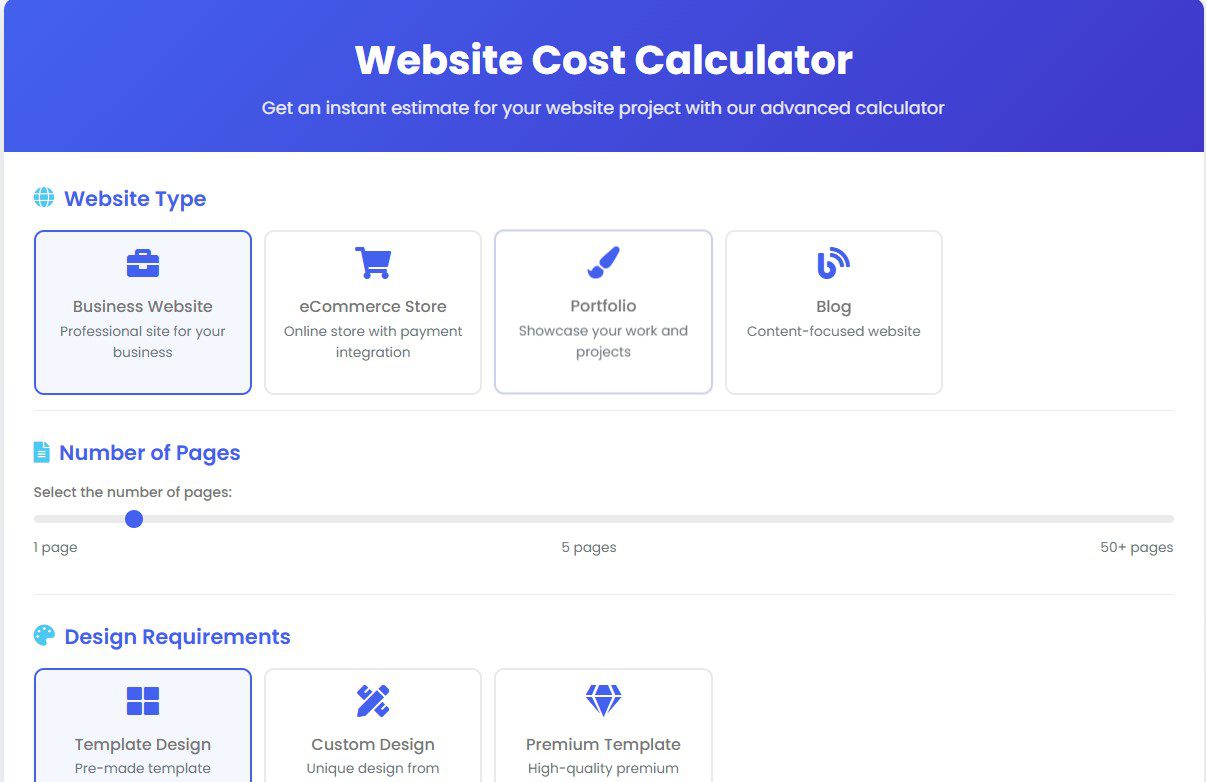
Learn how to turn website cost calculator results into professional proposals that close. Includes a ready-to-use proposal template and redacted invoice. Author: SharjeelPublish Date: 2026-02-25 Lead: The problem we solved People use price calculators, get a surprising number, and then… disappear. We ran into this a lot. Visitors used our website cost calculator, grabbed a number, then vanished. The calculator was great at estimating cost, but it didn’t convert curious surfers into paying clients. So we redesigned the final mile: the calculator → proposal flow. We studied behavior, added production-aware line items, and turned raw outputs into neat, defensible proposals that clients actually sign. In short: the website cost calculator to proposal pathway converts interest into commitment. It removes buyer anxiety (what am I paying for?) and gives sales an evidence-backed, line-item snapshot they can sign. Who benefits? Agency owners, freelancers, and product managers who want fewer price objections and more fast, confident signoffs. TL;DR Convert calculator outputs into clear, line-item proposals with lead-friendly language, a downloadable proposal, and an automated PDF that clients can sign — you’ll reduce negotiation time and close more projects. What it means (one simple definition) “Website cost calculator to proposal” is the process of taking a calculator’s line-item estimate and transforming it into a professional, client-ready proposal that specifies scope, price, timelines, and acceptance steps. Step-by-step: Turn a calculator number into a signed contract Below is a practical workflow we used at DevGuruX. Follow it literally. 1) Surface the calculator result in plain language (0–30 seconds) When a user clicks Get Estimate, show: Why: people trust numbers more when they see what they’re paying for. 2) Capture the right lead data (short form) On proposal request, capture: Make it a two-step microform (quick in, then optional detail). This reduces form abandonment. 3) Generate a draft PDF automatically (server-side) Your flow should generate a proposal PDF server-side using the calculator output and lead fields. The PDF must include: We use server-side templating (PHP/Twig for WordPress or Node/EJS for headless setups) to ensure consistent deliverables. Quick implementation tip (WordPress): use a server-side library like dompdf or wkhtmltopdf and merge a template with calculator JSON data. 4) Send proposal by email + show immediate on-site preview Email should include: On-site, provide a preview (first page of PDF) so the user doesn’t need to open attachments. 5) Add a human touch: a short video from the founder Attach a 60–90 second personalized video where Sharjeel (you) says:“Hi — I reviewed your estimate and included a recommended timeline… here’s what to expect.”Video increases trust and lifts conversion. Asset recommendation: Host the video on your site, or on Vimeo private link; include it in the email. 6) Offer a clear acceptance path (e-sign or reply) Options: 7) Follow-up automation (3 nudges) If no response in 48 hours: Automation tools: your email provider (Mailgun/SendGrid + custom templates), or use a CRM that supports sequences. Technical box — example data model for calculator → proposal { “client”: {“name”:”Acme FC”,”email”:”coach@acmefc.com”}, “estimate”: { “subtotal”: 2150, “items”: [ {“name”:”Design – 5 screens”,”qty”:1,”unit_price”:700}, {“name”:”Ecommerce integration (WooCommerce)”,”qty”:1,”unit_price”:600}, {“name”:”Custom size matrix & product variants”,”qty”:1,”unit_price”:450}, {“name”:”SEO baseline & speed optimization”,”qty”:1,”unit_price”:400} ], “tax”: 0, “total”: 2150 }, “timeline”: {“start”:”2026-03-02″,”milestones”:[{“name”:”Design”,”date”:”2026-03-09″},{“name”:”Development”,”date”:”2026-03-23″}]}} Use this JSON to generate both the on-screen estimate and the PDF proposal. Keeping consistent keys avoids translation errors. Best practices (trust, clarity & scaling) Limitations & compatibility Image guidance (recommended) Caption for featured image: DevGuruX calculator snapshot — the first step in a clear proposal pipeline. Related ideas (mini-concepts) Internal links Resources (external) FAQ Q1: Will the calculator output be the final invoice?A: No — the calculator gives an estimate. The formal proposal lists exact scope, milestones, and the deposit required for booking. Q2: How long does it take to turn a calculator result into a proposal?A: With a semi-automated flow, under 10 minutes. Fully manual proposals may take longer, but automation saves the team time. Q3: Can I request changes after receiving the proposal?A: Yes — we include a revision policy (typically 2–3 rounds). Major scope changes may change price. Q4: How do you handle refunds or cancellations?A: Our proposals include a cancellation and refund clause. Deposits may be non-refundable after development starts. Q5: Do you provide a sample proposal?A: Yes — download the proposal template included (see assumptions for file location) and adapt it to your brand. Why this matters People buy clarity, not ambiguity. A calculator is a fantastic top-of-funnel tool, but the conversion happens when you present a confident, itemized, and human proposal. That’s how curiosity becomes commitment — and how your revenue stabilizes. Short author note Sharjeel — Web Developer & SEO Specialist with 5+ years building conversion-first websites. Learn more at https://devgurux.com/about-us/. Follow DevGuruX on Pinterest (https://www.pinterest.com/devgurux/), LinkedIn (https://www.linkedin.com/in/affordable-website-developer-and-designer-3468ba23a), and Instagram (https://www.instagram.com/web_devgurux).
How to Spot Bad Freelancers: 7 Essential Warning Signs
I still remember the exact moment I realized I had screwed up. It was 2:17 a.m. in my tiny room in Sialkot. My laptop screen was glowing with error logs that looked like hieroglyphs. The client — a small clothing brand owner who trusted me with his first online store — had just sent a frantic WhatsApp message: “Bro the site is down again… customers are leaving bad reviews. Please fix fast.” I had paid a “super cheap” freelance developer from a platform $180 to build the WooCommerce backend. He promised “agency quality” in 10 days. What I got was 10 days of silence, broken payment gateways, and code so tangled that even I — after 4 years of fixing other people’s messes — couldn’t untangle it without rewriting half of it. That one decision cost me: I swore that would be the last time I got burned by cheap freelance work. Since then I’ve hired (and fired) more developers than I care to count, and I’ve learned exactly which warning signs predict disaster. If you’re a business owner, startup founder, or even another freelancer looking to outsource, these are the 7 red flags I now run from — and the exact questions I ask to avoid them. 1. They Avoid Giving You Real References from Similar Projects The moment someone says “I can’t share past client contacts because of privacy” or “Just check my Upwork reviews” — I walk. Real developers who’ve delivered for businesses like yours are usually proud to let you talk to 1–2 previous clients (with permission, of course). If they dodge, it’s because there are no happy clients to talk to. What I do now: I ask for one specific example: “Can you connect me with a client who had a similar project (e.g. WooCommerce store for clothing brand)?” If no — next. 2. Fixed Price + Unrealistic Timeline Combo “$250 and done in 7 days” for a full custom e-commerce site with payment gateway, inventory sync, and SEO structure? That’s not confidence — that’s a trap. Good developers know real work takes time: discovery, architecture planning, QA, revisions, launch. Anyone promising miracles on a shoestring is planning to cut corners (or disappear). What I do now: I ask for a realistic breakdown: “How many hours do you estimate for discovery + development + testing?” If the answer is under 60–80 hours for a medium project — red flag. 3. No Questions About My Business Goals — Only About Features If the first message is “Send me the Figma file / WordPress login / feature list” without asking: …they’re building a product, not a business tool. What I do now: I flip the script and ask them: “Before we talk price, what questions do you have about my business?” Silence = next. 4. They Use Copied / Template Code Without Explaining Why I’ve seen developers paste entire GitHub repos or ThemeForest templates and call it “custom work”. When I ask “Why this specific caching method?” or “How does this scale to 10,000 products?”, they panic or ghost. What I do now: I always ask for a 5-minute Loom video walking through one piece of their previous code. If they can’t explain their own decisions — I’m out. 5. Communication Only Happens When They Need Something The pattern is always the same: What I do now: I set a rule — weekly 5-minute video update (even if nothing changed). No update = I pause payment. 6. They Push You to Use Their Hosting / Tools / Plugins “I’ll get you a better deal if you use my Hostinger account” or “I only work with this theme/plugin” — usually means they get affiliate kickbacks or they’re hiding poor code behind specific tools. What I do now: I insist on full ownership: “All code, hosting credentials, and plugin licenses must be in my name from day one.” Pushback = walk. 7. They Disappear After Delivery (No Handover, No Documentation) The classic ghosting move: Site goes live, they take final payment, then vanish when you ask “How do I update this?” or “Where’s the documentation?” I’ve spent weeks rebuilding sites because the developer never explained anything. What I do now: Final 30% payment only after: The Mistake That Changed Everything for Me After that $1,200 disaster, I stopped hiring based on price and started hiring based on proof + communication. Now when I need help (yes, even I outsource sometimes), I pay 2–3× more for someone who: The result? Projects finish faster, cost less in fixes, and actually grow the business. If you’re tired of the same freelance nightmare loop, you have two choices: Calgary business owner? Looking for an affordable, modern website? See what we offer I’m the second option. If you’re ready to stop gambling with your online presence and want code that actually works — and keeps working — message me right now on WhatsApp: +92 327-7569356. No templates. No corners cut. Just clean, scalable work that makes you money instead of costing you more. Let’s talk. — Sharjeel Founder, DevGurux
Website ROI Multiplier – Smart Architecture
Advanced Strategy • 2026 Website ROI Multiplier –Smart Architecture That Turns $1 into $5+ Discover how strategic website architecture creates exponential returns instead of just a digital brochure. Calculate Your Website ROI → The Website Investment Myth Most businesses treat their website as a cost instead of a revenue-generating asset. They spend money, launch a site, and hope for traffic. This passive approach rarely delivers strong returns. A true Website ROI Multiplier happens when you build smart architecture — systems that work together to attract, convert, and retain customers automatically. What Is a Website ROI Multiplier? It’s the strategic combination of conversion funnels, automation, speed optimization, and evergreen content that compounds your initial investment over time. The 4 Architecture Elements That Multiply Returns 1. Strategic Conversion Funnels Guide visitors from awareness to purchase with clear pathways. 2. Automated Lead Nurturing Smart follow-ups and AI systems that work 24/7. 3. Performance Optimization Speed and technical excellence that boost conversions. 4. Evergreen Content Systems Content that continues generating leads long after publication. Real-World Results Implementing Your Own ROI Multiplier Strategy Step 1: Audit your current website performance and user behavior using Google Analytics and Search Console. Running a business in Calgary? Turn your website into a real revenue multiplier with architecture designed for the local YYC market. Discover our Calgary website development services → Measuring and Optimizing Your ROI Track conversion rate, customer acquisition cost, lifetime value, and user behavior to continuously improve results. Ready to Build a Website That Actually Multiplies Your Revenue? Get Your Free ROI Estimate Now

Website Cost Illusion – Why Quotes Mislead
Discover why traditional website quotes are often misleading and learn what to ask instead. Get accurate pricing with our transparent website cost calculator. By Sharjeel | Published on 2026-02-13 The Hidden Truth Behind Website Quotes The website cost illusion is a phenomenon where businesses receive quotes that appear straightforward but contain hidden complexities and unexpected expenses. This creates a disconnect between initial expectations and final invoices, leaving many business owners frustrated and over budget. I’ve seen this scenario play out countless times. A business owner gets three quotes for what seems like the same website: one for $1,500, another for $5,000, and a third for $12,000. They naturally wonder how there could be such a massive price difference for essentially the same product. The truth is, they’re not looking at quotes for the same product at all. They’re comparing apples, oranges, and perhaps a few fruits they’ve never even heard of. The website cost illusion stems from the fact that most quotes don’t clearly communicate what’s actually included, what’s optional, and what might become necessary later. Running a business in Calgary? Turn more visitors into customers with a fast, professional website designed for the Alberta market. Discover our Calgary website development services. Why Traditional Quotes Create Cost Illusions Traditional website quotes create illusions for several reasons: This creates a perfect storm of confusion where businesses can’t accurately compare proposals or budget effectively for their web projects. The Real Cost Factors Developers Don’t Mention After developing over 200 websites, I’ve identified several cost factors that rarely appear in initial quotes but significantly impact final pricing: Technical Infrastructure Content Creation Ongoing Maintenance Scalability Considerations These factors can add anywhere from a few hundred to several thousand dollars to a project’s cost, yet they’re rarely discussed during initial quoting. Questions That Reveal True Website Costs To cut through the website cost illusion, you need to ask specific questions that force transparency: 1. “What exactly is included in this price?” Ask for a detailed breakdown of every deliverable. If a developer can’t provide this, it’s a red flag. 2. “What potential additional costs might arise?” Request a list of possible extra expenses that could occur during development. 3. “How many revisions are included?” Clarify exactly how many rounds of changes are covered before additional charges apply. 4. “What happens after the site launches?” Ask about post-launch support, maintenance, and associated costs. 5. “What technical requirements might affect the price?” Inquire about hosting needs, security measures, and third-party integrations that could impact cost. 6. “Can you provide examples of similar projects and their final costs?” Ask for case studies of comparable websites with their actual final invoices, not just initial quotes. These questions force developers to be more transparent and help you understand the true scope of your project. A Better Approach: Transparent Pricing At DevGuruX, we’ve adopted a radically transparent approach to pricing that eliminates the website cost illusion. Instead of vague quotes, we provide: This approach builds trust and helps our clients make informed decisions about their web development investments. Using Tools to Cut Through the Illusion To further combat the website cost illusion, we developed a website cost calculator that provides transparent estimates based on actual features and requirements. Unlike traditional quotes that might be deliberately vague, our calculator: This tool helps you understand exactly what you’re paying for and why, eliminating the surprises that often accompany website development projects. TL;DR Traditional website quotes often create cost illusions by being vague about what’s included, omitting essential components, and hiding potential additional expenses. Ask specific questions about deliverables, revisions, and potential extra costs to reveal the true price of your website project. Related Ideas Related Resources External Resources FAQ Q: Why do website quotes vary so much between developers? A: Quotes vary because developers include different features, have different overhead costs, use different technologies, and may have different levels of experience. The key is to ensure you’re comparing like-for-like features and deliverables. Q: What’s the average cost of a small business website? A: A basic small business website typically costs $1,500-5,000, while more complex sites with custom functionality can range from $5,000-15,000+. Use our website cost calculator for a more precise estimate based on your specific needs. Q: Should I choose the cheapest quote for my website? A: Not necessarily. The cheapest quote often excludes essential features or uses lower-quality solutions. Focus on value rather than price alone, considering long-term maintenance, scalability, and potential hidden costs. Q: How can I avoid hidden costs in website development? A: Ask for detailed breakdowns of all deliverables, inquire about potential additional costs, clarify revision limits, and discuss post-launch maintenance requirements upfront. Q: What should be included in a comprehensive website quote? A: A comprehensive quote should include detailed feature descriptions, design mockups, development specifications, number of revisions, hosting recommendations, security measures, post-launch support, and clear timelines for each phase. Why This Matters Understanding the website cost illusion empowers you to make informed decisions about your web development investment. By asking the right questions and demanding transparency, you can avoid budget overruns, ensure you get the features you need, and build a website that truly serves your business goals without financial surprises. About the author: Sharjeel is a web developer and SEO specialist with over 5 years of experience helping businesses navigate the complex world of website development. He’s passionate about transparent pricing and helping clients make informed decisions about their digital investments. Follow DevGuruX on Pinterest, LinkedIn, and Instagram.
Bwa Sports Case Study – Manufacturing E‑com Success
Discover how Bwa Sports transformed their uniform manufacturing business with a custom e-commerce platform, achieving 300% more orders and expanding to international markets. By Sharjeel | Published on 2025-02-13 The Manufacturing Challenge Bwa Sports Faced Manufacturing e-commerce platforms are specialized digital environments that bridge physical production with online sales. For Bwa Sports, a premium uniform manufacturer in Sialkot, this bridge was missing entirely. Their potential customers—sports clubs, schools, and emerging clothing brands—couldn’t easily browse their offerings or place orders online. The owner, Sajeel Saif, had built an impressive reputation for quality craftsmanship. His factory hummed with precision machinery turning plain fabrics into professional-grade sports uniforms. Yet, this offline excellence wasn’t translating to digital visibility or sales. “Most of our business came through word-of-mouth and local connections,” Sajeel told me during our first meeting. “We knew we were missing opportunities beyond our immediate network, but we didn’t know how to showcase our manufacturing quality online.” This isn’t just Bwa Sports’ story—it’s a common challenge for manufacturers who excel at production but struggle with digital presence. Factory Floor Insights: Understanding the Business Before writing a single line of code, I spent a full day at Bwa Sports’ factory. This isn’t typical for web developers, but for manufacturing e-commerce platforms, it’s essential. I watched as workers carefully measured fabrics, operated embroidery machines with surgical precision, and assembled uniforms with attention to detail that would make surgeons nod in approval. I took photos of every process—raw materials entering one end of the facility and finished, branded sports uniforms exiting the other. Sajeel walked me through their quality control process, showing me how they inspect every stitch and seam. “This is what sets us apart,” he explained, holding up a nearly finished jersey. “Anyone can make uniforms. We make uniforms that last seasons, not just games.” These insights became the foundation of their digital strategy. The website needed to communicate this manufacturing excellence visually and textually. We collected social media content, professional photos of their products in action, and detailed specifications of their manufacturing capabilities. Crafting the Digital Showroom A manufacturing e-commerce platform isn’t just about selling products—it’s about showcasing capabilities. For Bwa Sports, we designed a digital experience that mirrored their physical factory tour. The homepage immediately communicates their manufacturing expertise with high-quality images of their facility and process. We created dedicated sections for different product categories—team uniforms, custom jerseys, and branded sportswear—each with detailed specifications about materials, sizing, and customization options. The product pages go beyond typical e-commerce. Each item includes manufacturing details like fabric composition, production timeline, and customization options. We implemented a custom ordering system that allows teams to submit their designs and receive mockups before production begins. The real breakthrough was creating a “manufacturing showcase” section that highlights their production capabilities. This includes videos of their embroidery machines, photo galleries of their quality control process, and detailed information about their materials and techniques. The Technical Game Plan Building a manufacturing e-commerce platform requires specific technical considerations. We needed to create a system that could handle: The technical foundation uses WordPress with WooCommerce, heavily customized for manufacturing needs. We optimized for speed and security, implementing best practices for e-commerce platforms. Results That Scored Big The transformation was immediate and impressive. Within the first month, Bwa Sports received inquiries from international markets they had never reached before. Their website became not just a sales tool but a credibility builder. The numbers tell the story: Sajeel was so pleased with the results that he added a $700 tip to the final payment, which was originally set at $3,000. “You didn’t just build us a website,” he told me. “You created a digital version of our factory that customers can visit from anywhere.” Lessons for Manufacturing E-commerce This project taught us valuable lessons about creating manufacturing e-commerce platforms: TL;DR Bwa Sports transformed their uniform manufacturing business with a custom e-commerce platform that showcases their manufacturing capabilities, resulting in 300% more orders and international expansion. Related Ideas Related Resources External Resources FAQ Q: How long does it take to develop a manufacturing e-commerce platform? A: Typically 8-12 weeks for a fully customized platform like Bwa Sports. This includes discovery, design, development, and testing phases. Q: What’s the typical cost for a manufacturing e-commerce website? A: Costs vary based on complexity, but expect $3,000-10,000 for a custom platform. Use our website cost calculator for a more precise estimate. Q: How do you handle custom product configurations in manufacturing e-commerce? A: We develop custom configuration tools that guide customers through options while ensuring manufacturing feasibility and accurate pricing. Q: Can manufacturing e-commerce platforms integrate with existing inventory systems? A: Yes, we build custom integrations with various ERP and inventory management systems to ensure seamless data flow between digital and physical operations. Q: How do you showcase manufacturing quality online? A: Through detailed photography, videos of production processes, quality certification displays, and comprehensive product specifications that demonstrate expertise. Why This Matters Manufacturing businesses often struggle to translate their physical excellence into digital success. The Bwa Sports case demonstrates how a thoughtfully designed e-commerce platform can bridge this gap, creating new opportunities for growth and expansion beyond traditional markets. For manufacturers considering digital transformation, this approach provides a roadmap for success. About the author: Sharjeel is a web developer and SEO specialist with over 5 years of experience creating custom digital solutions for manufacturing and e-commerce businesses. He’s passionate about bridging physical craftsmanship with digital excellence. Follow DevGuruX on Pinterest, LinkedIn, Instagram and Clutch.