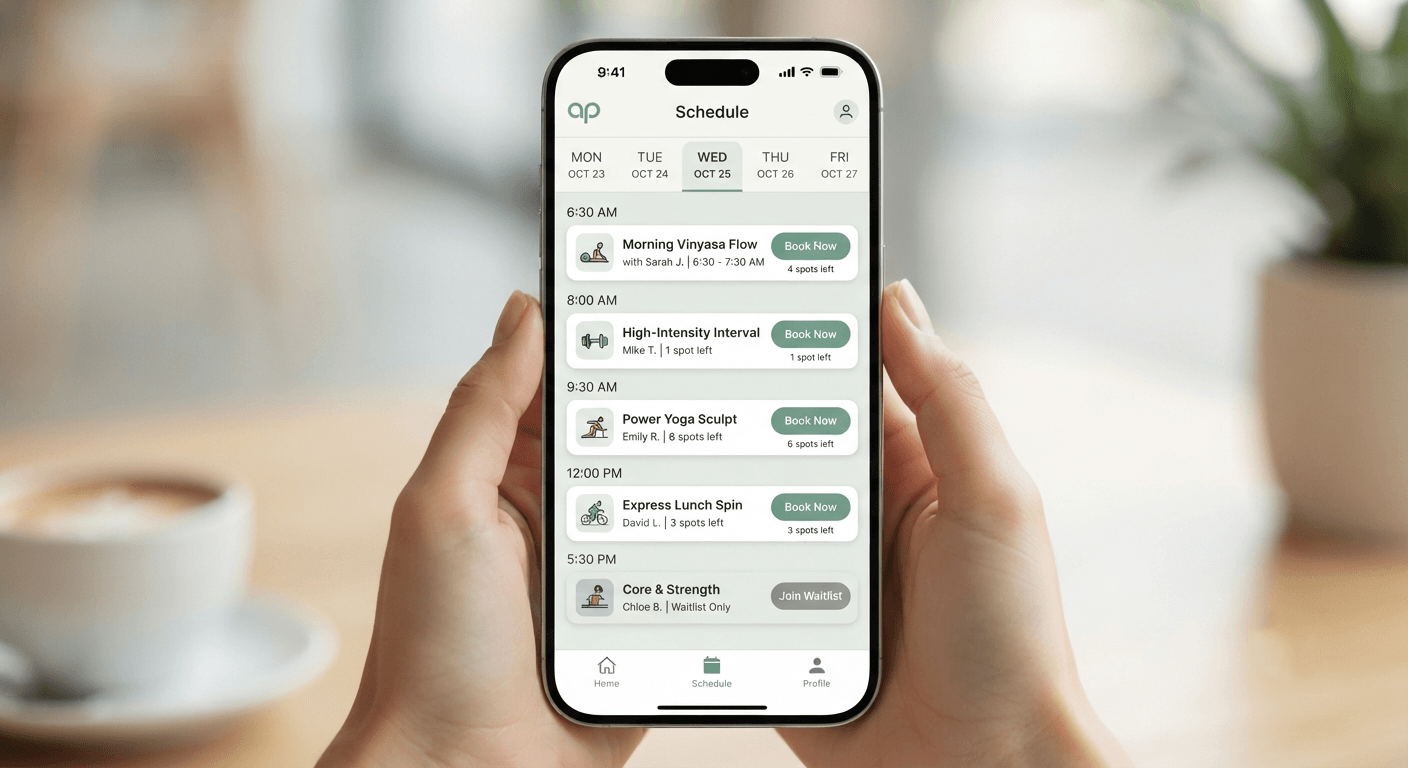
Mobile-First Web Design: The Competitive Advantage Every Alberta Business Needs
Table of Contents
Most business owners look at their freshly designed web platforms on a sprawling, 27-inch office monitor. It looks pristine. The graphics are broad, the text blocks are expansive, and the multi-layered navigation works seamlessly with a precise mouse cursor.
But your target audience isn’t sitting at your desk.
In Calgary, Edmonton, Red Deer, and throughout rural Alberta, your customers are interacting with your brand under real-world constraints. They are contractors looking up supply specifications from a windy job site, clinic patients trying to book emergency dental work while riding the LRT, or e-commerce buyers making impulse selections on their phones during a commercial break.
When you design a platform for desktop screens and merely “shrink it down” to fit phone screen sizes, you introduce subtle points of friction that hurt your revenue:
- Micro-fonts that require users to manually zoom in just to read structural text rows.
- Bloated graphical payloads that take upwards of 8 seconds to parse over standard cellular data connections.
- Misaligned tap boundaries that make input forms close to impossible to fill out using standard touch movements.
Google shifted exclusively to mobile-first indexing years ago. This means the desktop iteration of your system is practically invisible to the primary web ranking engine. If your mobile layout forces users away, your search engine rankings will plummet, and your local competitors will win those clients instead.
🛑 Common Mistake
Assuming a site is fully mobile-compliant just because it resizes when you adjust your desktop browser window size. True mobile-first web design requires starting from the smallest handheld dimensions, minimizing complex layouts, and carefully adding components as viewport space expands.
Decoding the Technical Architecture: Responsive vs. Adaptive vs. Mobile-First
Understanding the architectural options available is essential before upgrading your digital presence. While many agencies use terms like “fluid design” interchangeably, the underlying engineering frameworks behave differently under structural load:
| Metric | Responsive Layout | Adaptive Framework | Mobile-First Engineering |
| Development Order | Desktop first, then patched down. | Multiple static layouts created for fixed screens. | Smartphone viewport scaled up incrementally. |
| Code Efficiency | Medium (often carries desktop baggage). | Low (requires maintaining separate code sheets). | High (uses optimized CSS stylesheets). |
| Performance Speed | Moderate. | Highly volatile across custom viewports. | Best; optimized for fast cellular networks. |
| Asset Delivery | Scales down large background image assets. | Serves fixed size blocks selectively. | Delivers modern asset formats like WebP instantly. |
The Engineering Reality
At DevGurux, we treat responsive web design as a fundamental standard, not an optional feature. When managing custom Website Development initiatives, our development focus centers on stripping away unnecessary script weight.
For platforms built on WordPress Development frameworks, this involves eliminating bloated, multi-purpose page builders that load heavy, unused CSS files. Instead, we use lean, semantic code blocks built directly for the modern web environment.
[Mobile Viewport: 360px] ---> Base Typography & Single Column Structure
   |
   +---> Media Query (min-width: 768px) ---> Introduce Multi-Column System & Secondary Sidebars
         |
         +---> Media Query (min-width: 1200px) ---> Deploy Expanded High-Definition Enhancements
The Core Web Vitals Blueprint: Optimizing for Speed & Conversion
A polished layout matters little if your target audience leaves before your assets finish loading. Google evaluates technical speed through three primary Core Web Vitals metrics, which directly impact your SEO rankings:
1. Largest Contentful Paint (LCP)
LCP measures how long it takes for the main content of your webpage to render on a user’s screen. If your hero image takes longer than 2.5 seconds to load over a standard mobile connection, your site risks losing the visitor’s attention. To prevent this, implement advanced Performance Optimization strategies, such as setting explicit image dimension parameters and using advanced caching tools.
2. Interaction to Next Paint (INP)
INP tracks user interface responsiveness by measuring the delay between a user action (like tapping a button) and the visual update on the page. Heavy JavaScript execution often locks the main thread, causing noticeable input delays. You can minimize these delays by cleaning up your script files and using asynchronous asset delivery frameworks.
3. Cumulative Layout Shift (CLS)
CLS measures visual stability by tracking unexpected layout shifts while a page is loading. This often happens when images or ad banners lack defined width and height attributes, causing content to jump around as assets load. For instance, if a user tries to tap a link but the layout suddenly shifts, they might click the wrong button—creating a frustrating experience that hurts conversion rates.
Visual Stability Progress Map:
[Time: 0.0s] -> DOM Initialized -> [Time: 1.1s] -> Text Structured (No Shifts) -> [Time: 1.8s] -> Elements Fully Rendered (Stable)
💡 Pro Tip
Never use standard
.pngor.jpgformats for heavy background image assets. Converting these assets into modern formats like.webpcan compress image payloads by up to 30% without sacrificing visual quality, giving your site an immediate speed advantage.
Conversion Rate Optimization (CRO) for Small Mobile Touchscreens
Designing a mobile layout involves unique user interface constraints. On a desktop screen, you have ample horizontal space to display text blocks, value propositions, and side-by-side contact forms. On a handheld smartphone, however, you have a narrow vertical space that requires a focused layout strategy.
The Thumb Zone Principle
Most smartphone users navigate websites using a single thumb. Elements placed at the very top or bottom corners of the viewport can be difficult to reach comfortably, which increases user drop-off.
       [Comfortable Thumb Reach Zone]
+------------------------------------------+
|  [Top Corner: Hard to Reach Elements]     |
|                                          |
|        +------------------------+        |
|        |                        |        |
|        |   Optimal Conversion   |        |
|        |   Target Interaction   |        |
|        |         Space          |        |
|        |                        |        |
|        +------------------------+        |
|                                          |
|  [Sticky Call-To-Action Element Panel]   |
+------------------------------------------+
To optimize your mobile layout for better conversions, consider this conversion checklist:
- [ ] Implement a sticky bottom call-to-action button that stays visible as users scroll down the page.
- [ ] Replace complex, multi-step navigation menus with a clean, collapsable mobile menu layout.
- [ ] Simplify checkout and inquiry fields by enabling auto-fill options for text input boxes.
- [ ] Use click-to-call links for phone numbers so mobile users can dial with a single tap.
- [ ] Keep all target button dimensions at a minimum of 48 by 48 pixels to ensure easy tapping.
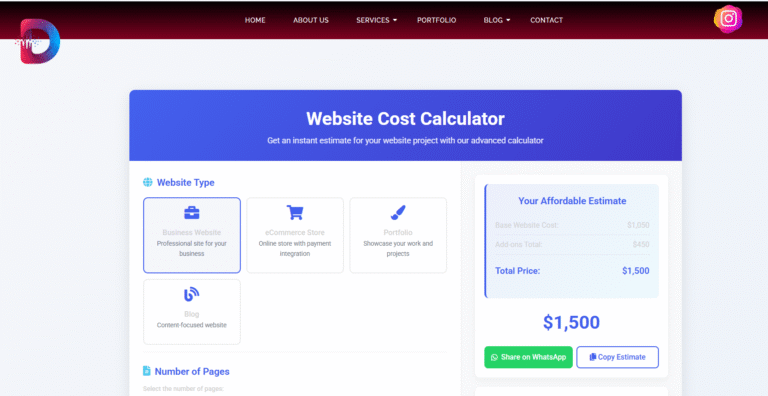
If you want to see how these design elements impact your project budgets, you can test our interactive Website Cost Calculator to review realistic development cost projections based on your exact feature needs.
The DevGurux Production Framework: How We Build High-Performance Mobile Frontends
We avoid generic layout templates and heavy, automated design frameworks. Our approach focuses on clean engineering and strategic automation to build high-performance web platforms.
1.Mobile Viewport Auditing:Phase 1.
We analyze your current digital presence across multiple viewports to identify performance bottlenecks, layout shifts, and navigation issues that cause mobile bounce rates to spike.
2.Lean CSS & Layout Structuring:Phase 2.
We write clean, efficient CSS code based on a mobile-first approach. By prioritizing essential visual elements first, we ensure your core content loads instantly on handheld screens before desktop enhancements are applied.
3.Automated Speed Optimization:Phase 3.
We set up advanced caching systems, compress scripts, and configure image optimization tools to ensure fast load times, even over slower regional data connections.
4.Security Hardening:Phase 4.
We protect your digital infrastructure by setting up secure firewalls and implementing strict data protection measures, ensuring full compliance with modern web safety standards.
⚡ Quick Win
If your site relies on a traditional third-party hosting service, moving it to a managed, cloud-optimized network can improve server response times by up to 40% globally, without requiring any changes to your source code.
Frequently Asked Questions (FAQ)
What is mobile-first web design and why does it matter for Alberta businesses?
Mobile-first web design means prototyping and developing your website for smartphones before scaling it up to desktop viewports. For Alberta businesses, it guarantees compliance with Google’s mobile-first indexing, speeds up load times, and secures local leads who search for services while on the move.
How does viewport responsiveness affect local SEO rankings in Calgary and Edmonton?
Google evaluates the mobile version of your site exclusively for indexing and ranking. If your site displays cut-off text, broken forms, or relies on desktop-only navigation layout formats, your visibility drops significantly within local Map Packs and regional search queues.
What are Core Web Vitals metrics, and why should my business care?
Core Web Vitals measure the visual stability, loading speed, and interactivity of your site using parameters like LCP, FID, and CLS. Passing these performance criteria ensures lower bounce rates and directly influences programmatic organic search priority indexes.
Can my existing WordPress site be retrofitted for mobile-first compliance?
Yes, it can be optimized by replacing heavy themes with lean layouts, cleaning up inline styles, minifying code files, and removing redundant plugins that slow down mobile performance. For more comprehensive updates, our team offers tailored Website Redesign services to modernize your digital presence.
How does mobile site speed impact user conversion rates?
Data shows that websites loading in under two seconds achieve double the conversion rates of slower platforms. Every additional second of delay increases user drop-off and drives potential customers to your competitors.
What touch target dimensions are recommended for mobile viewports?
According to modern accessibility guidelines, touch elements like buttons and links should be at least 48 by 48 pixels, with adequate spacing around them to prevent accidental clicks.
Should mobile layouts display different content than desktop versions?
The core content and structured data should remain identical across all versions to ensure consistent SEO indexing. However, you can adapt the presentation—such as using accordions for long text blocks—to improve readability on mobile screens.
How do custom integrations affect mobile page performance?
Third-party scripts, like live chat widgets or tracking pixels, can delay page loading if they aren’t configured properly. We handle this by using asynchronous loading scripts to ensure these integrations don’t slow down the user experience.
How can I check if my website is fully mobile-compliant?
You can test your platform using Google’s Lighthouse audit tool inside Chrome DevTools, or review the Mobile Usability reports within your Google Search Console dashboard.
What role does automated maintenance play in mobile optimization?
Consistent optimization prevents performance drops caused by accumulating database clutter, unoptimized image uploads, or outdated software components. Our Website Maintenance programs provide ongoing optimization to ensure your platform stays fast and responsive.
Maximizing Your Regional Competitive Edge
A mobile-friendly website is no longer just a nice-to-have feature—it is an essential foundation for digital growth and customer acquisition. If your platform isn’t fully optimized for mobile users, you are likely losing local leads and search visibility to faster competitors every day.
At DevGurux, directed by technical lead Sharjeel Bin Amir, we build high-performance web systems engineered to rank well and convert visitors into clients. Whether you need custom development, local optimization, or advanced automation, we can help you build a fast, secure, and mobile-optimized digital presence.
Take the first step toward improving your performance. Check out our interactive Revenue ROI Calculator to see how faster page speeds and higher mobile conversion rates can grow your bottom line. Ready to plan your upgrade? Book a free discovery session with our team on our Contact page today.
Author Profile
Sharjeel Bin Amir
Founder & Lead Architect at DevGurux
Sharjeel Bin Amir is a seasoned web developer, SEO consultant, and automation strategist. He specializes in building high-performance WordPress systems, custom web applications, and automated lead acquisition infrastructure that help modern businesses scale efficiently.